

Android 17: the 17 features you need to know about!
Contents:
The Android Show 2026 has wrapped up, and Google had a lot to say. This year's event set a clear direction: Android is moving from a traditional phone OS to something closer to a background intelligence layer, with Gemini AI woven directly into the system rather than sitting in a standalone app. There are also meaningful updates to security, personal wellbeing, and how Android connects to the wider tech world.
Here are the 17 features from the showcase worth paying attention to.
Gemini everywhere.
Google's biggest push this year is taking Gemini off the app launcher and embedding it into the OS itself. Across these 5 features, you'll see it handling background tasks and reading screen context in ways that change how the phone feels to use.
- Gemini as a system layer
Gemini can now run multi-step tasks in the background without you managing every step. Tell it to build a shopping list from your notes and it handles the whole thing automatically. Small in isolation, but worth a lot in practice once you start leaning on it.
- Long-press the power button
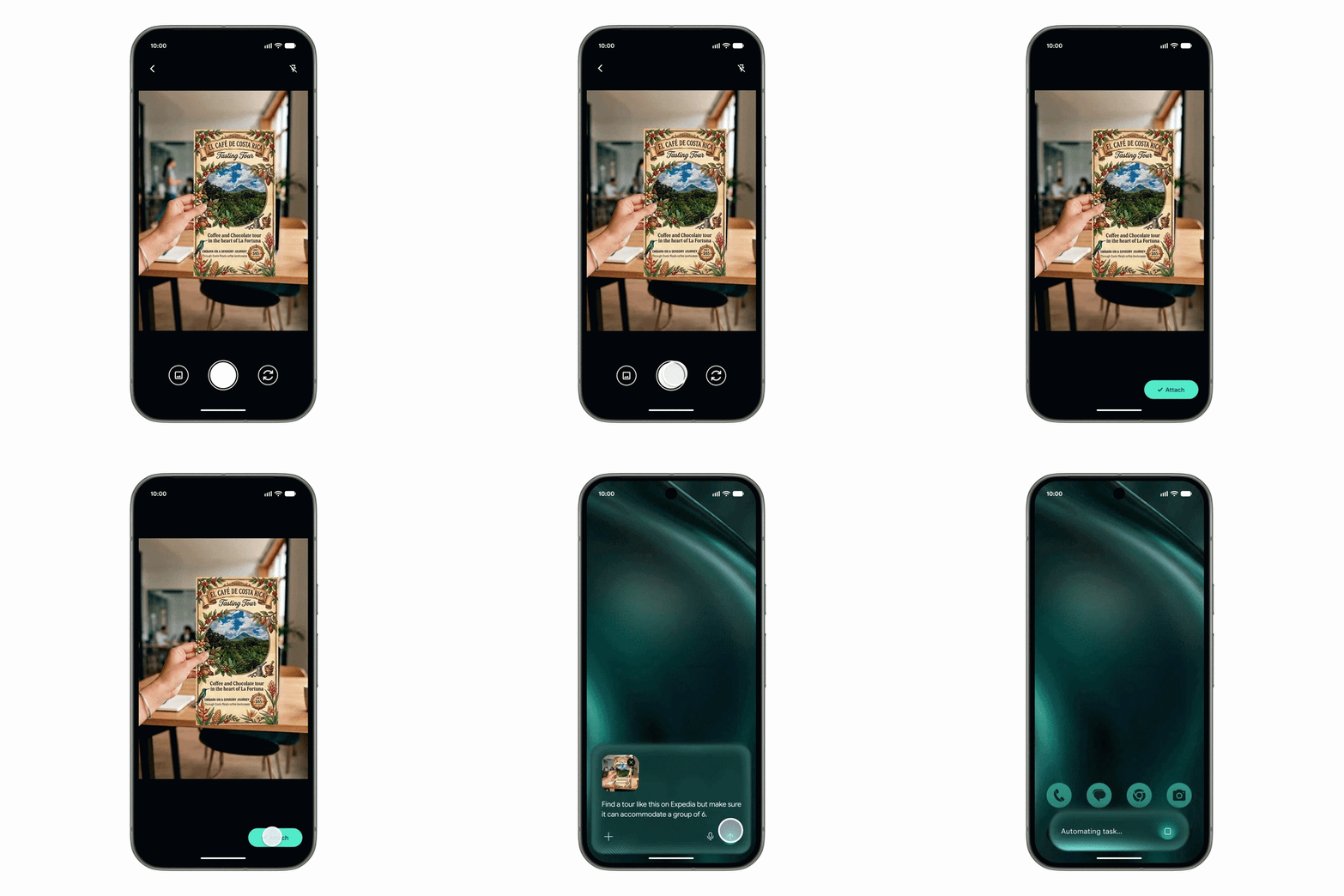
Long-pressing the power button now triggers a contextual action based on whatever's on your screen at that moment. Pull up a photo of a restaurant menu and Gemini can book a table from it. Looking at a digital receipt? It'll log the details without you typing anything.
- Chrome's AI browser assistant
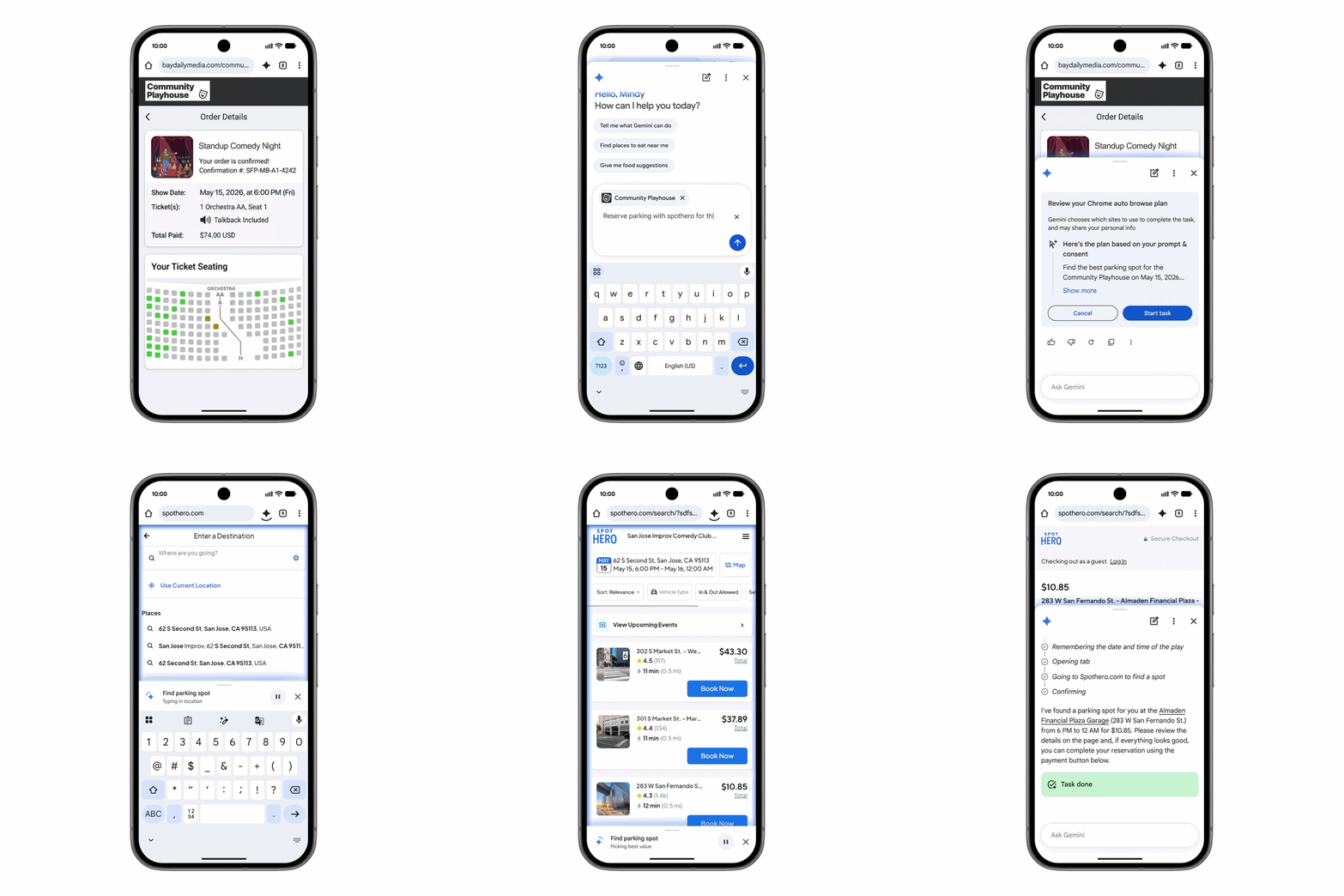
Researching something across multiple open tabs is a faff. Chrome's new AI assistant can now summarise long web pages, pull together comparisons across tabs, and fill in complex forms or complete bookings on your behalf. Worth the upgrade alone if you spend a lot of time doing online research.
- Autofill expansion
Filling in complex web forms just got a lot less painful. Android's autofill is being updated to pull information from Gmail, Wallet, and Google Photos automatically, so things like passport numbers and flight details populate without you hunting for them. If you've ever abandoned a booking form halfway through because you couldn't find your passport, this one's for you.
- Rambler in Gboard
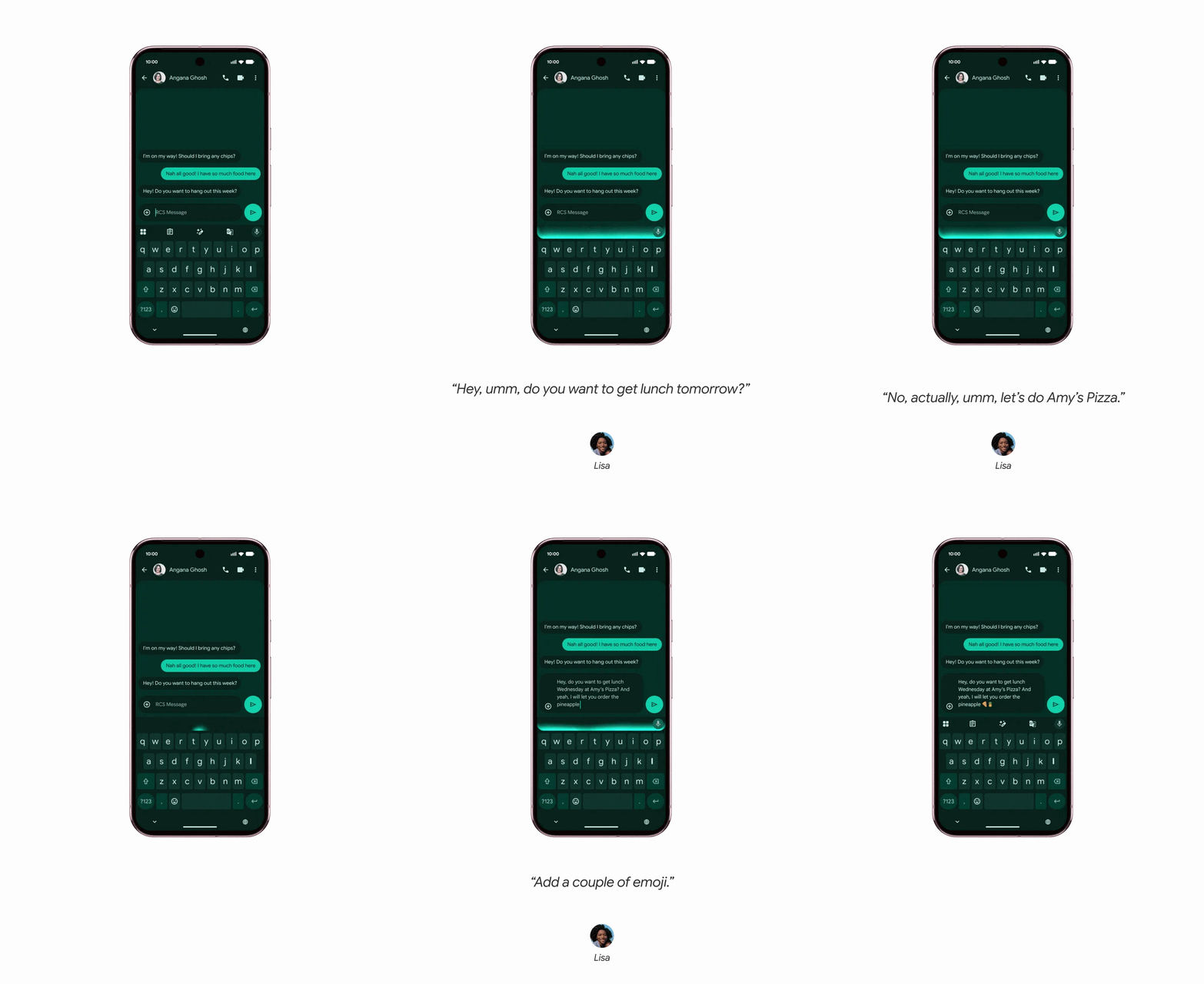
Rambler is a real-time speech-to-text feature in Gboard that strips filler words as it transcribes. All the "ums," "ahs," and "ers" disappear before they reach the page. It works across multiple languages, and the output reads like typed text rather than a rough voice note.
Personalisation and digital wellbeing.
Three updates that change how Android looks and feels day-to-day, plus a fresh take on screen time management that has a better chance of working than a rigid timer.
- Create My Widget
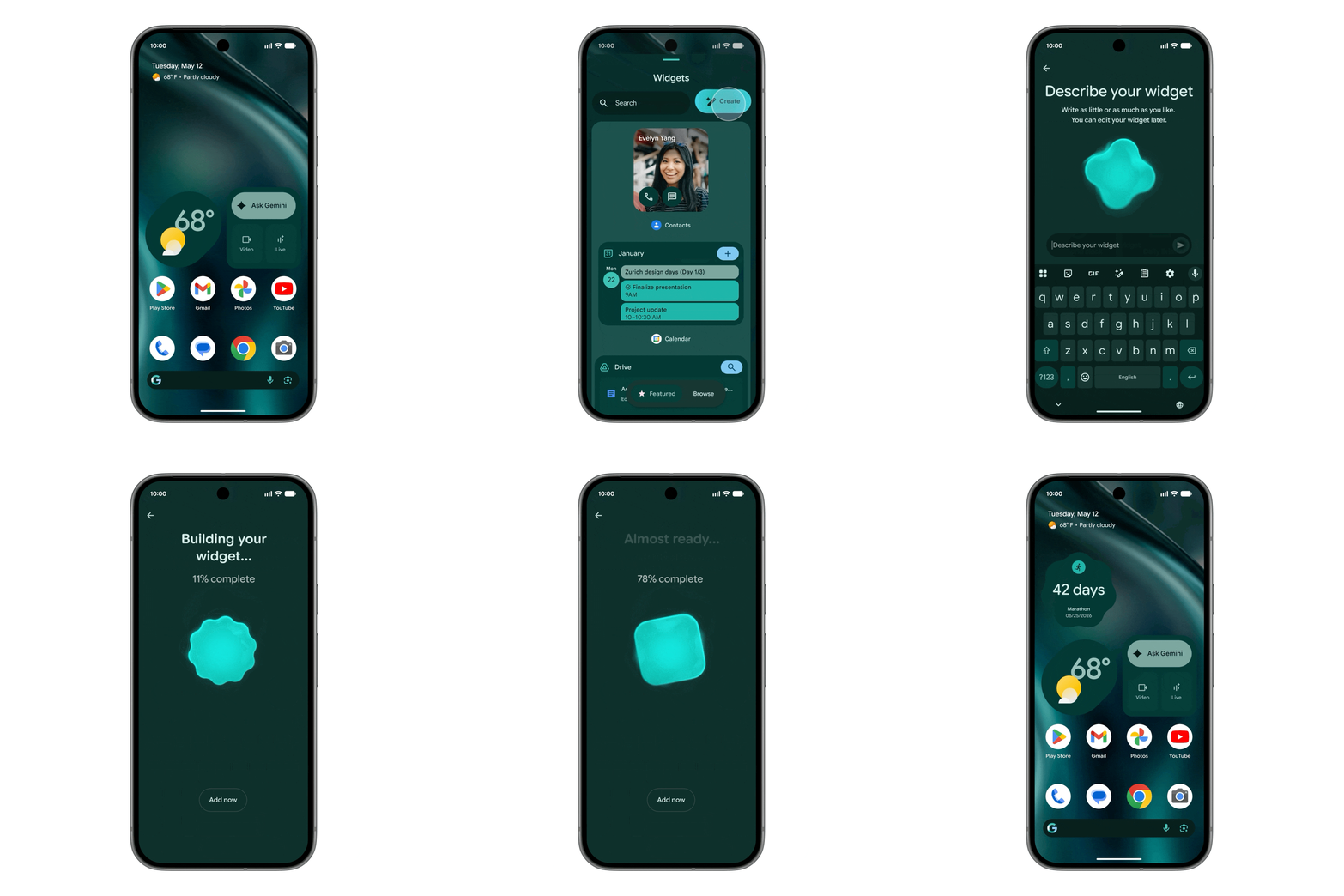
Create My Widget lets you describe a home screen widget in plain text and generates one to match. Want a single tile showing today's pollen count alongside your live bus times? Type it and it builds it. A handy alternative to hunting through the widget library for something that almost does what you need.
- Pause Point
Pause Point sits between you and the apps most likely to eat your time. Before you can open a flagged app, it asks you to sit through a 10-second reflection pause or a quick breathing exercise. The approach is gentler than a hard timer and, honestly, probably more effective at making you stop and think before opening it.
- Noto 3D emojis
The classic flat emoji set is being replaced by Noto 3D emojis: textured, lifelike, and designed to feel physical on screen. A small change on the surface, but messaging threads look noticeably different once they're in.
Security and privacy.
Four updates to how Android protects you, from real-time app monitoring to some long-overdue changes to what shows on your lock screen.
- Live Threat Detection
Live Threat Detection runs entirely on-device, watching app behaviour in real time. If something tries to access data it shouldn't, it gets isolated before it can do any damage. The scanning happens locally, so nothing leaves your phone to be analysed elsewhere.
- Verified Banking Protection
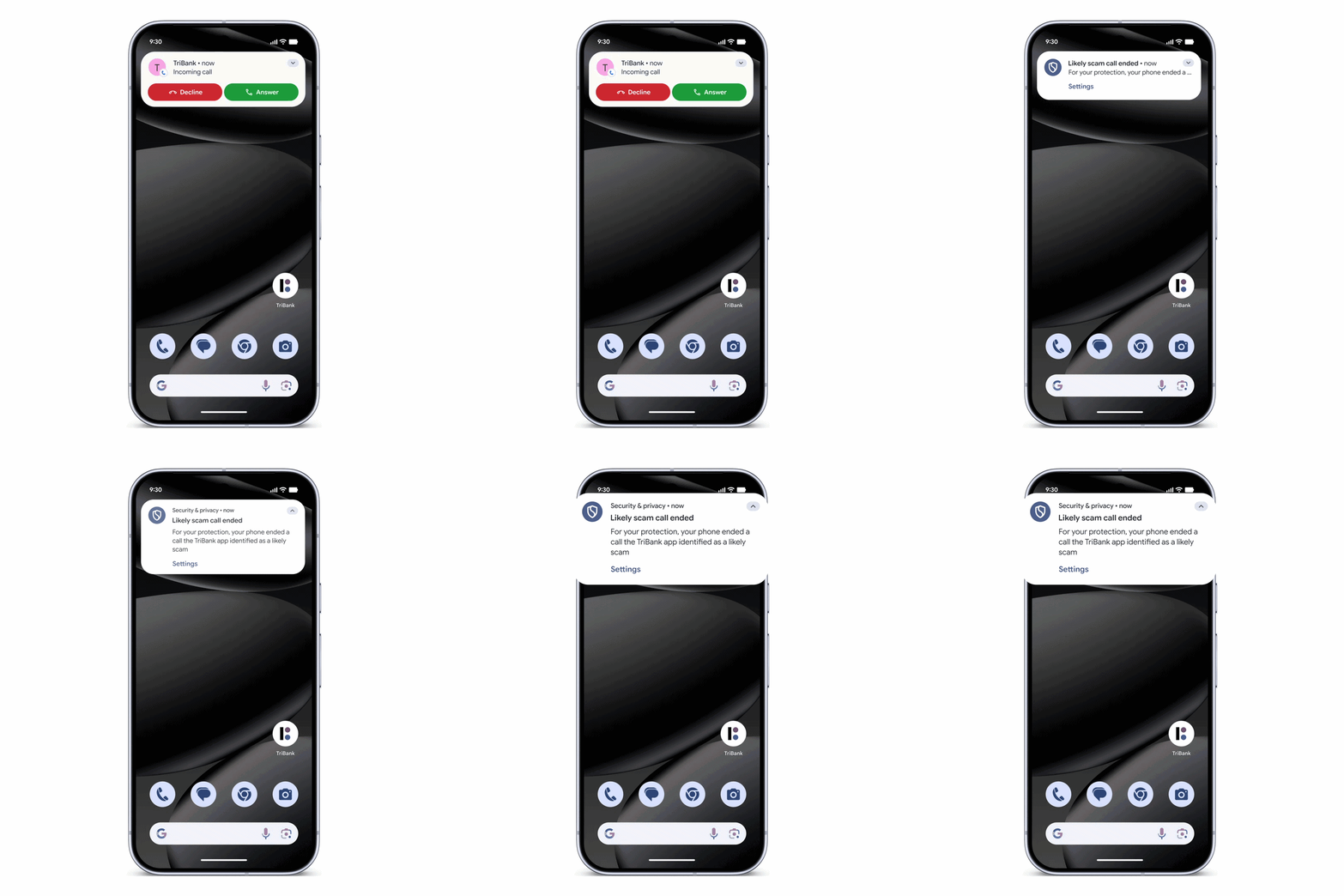
Spoofed numbers pretending to be your bank are one of the more common scam methods around. Android 17 identifies those calls and blocks them automatically, while displaying a Verified badge when a legitimate financial institution rings. Cleaner, and much easier to trust at a glance.
- Limited Contact Picker
Granting an app contact access has always been a bit all-or-nothing. The Limited Contact Picker changes that, letting you grant access to a single contact rather than your entire address book. Useful for apps that only need one number but typically ask for far more.
- Anti-theft and OTP protection
Lost devices now require biometric authentication to unlock, closing off the main workaround for phone thieves. And One-Time Passwords will no longer appear on the lock screen during screen-sharing sessions, stopping them from being intercepted during calls or remote help.
Sharing and creating.
A couple of updates for anyone who films, posts, or makes content on their phone.
- Stabilisation, Night Sight and HDR inside social media apps
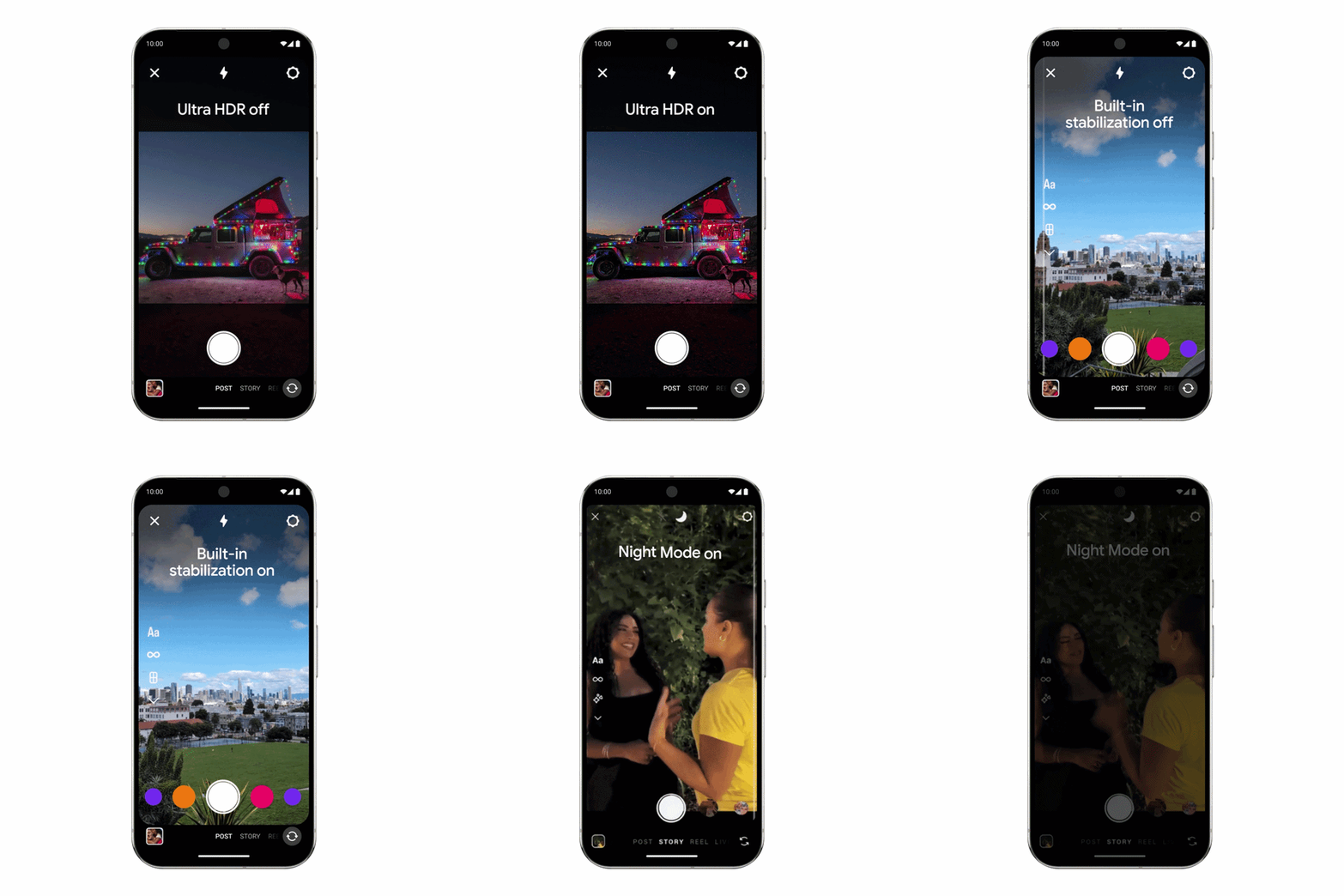
Google has partnered with Instagram to bring native Ultra HDR support, video stabilisation, and Night Sight directly into your favourite social media apps, such as Instagram and TikTok. The upshot is that your posts use the full quality of your phone's camera, processed the way Google intended.
- Record your screen and your face
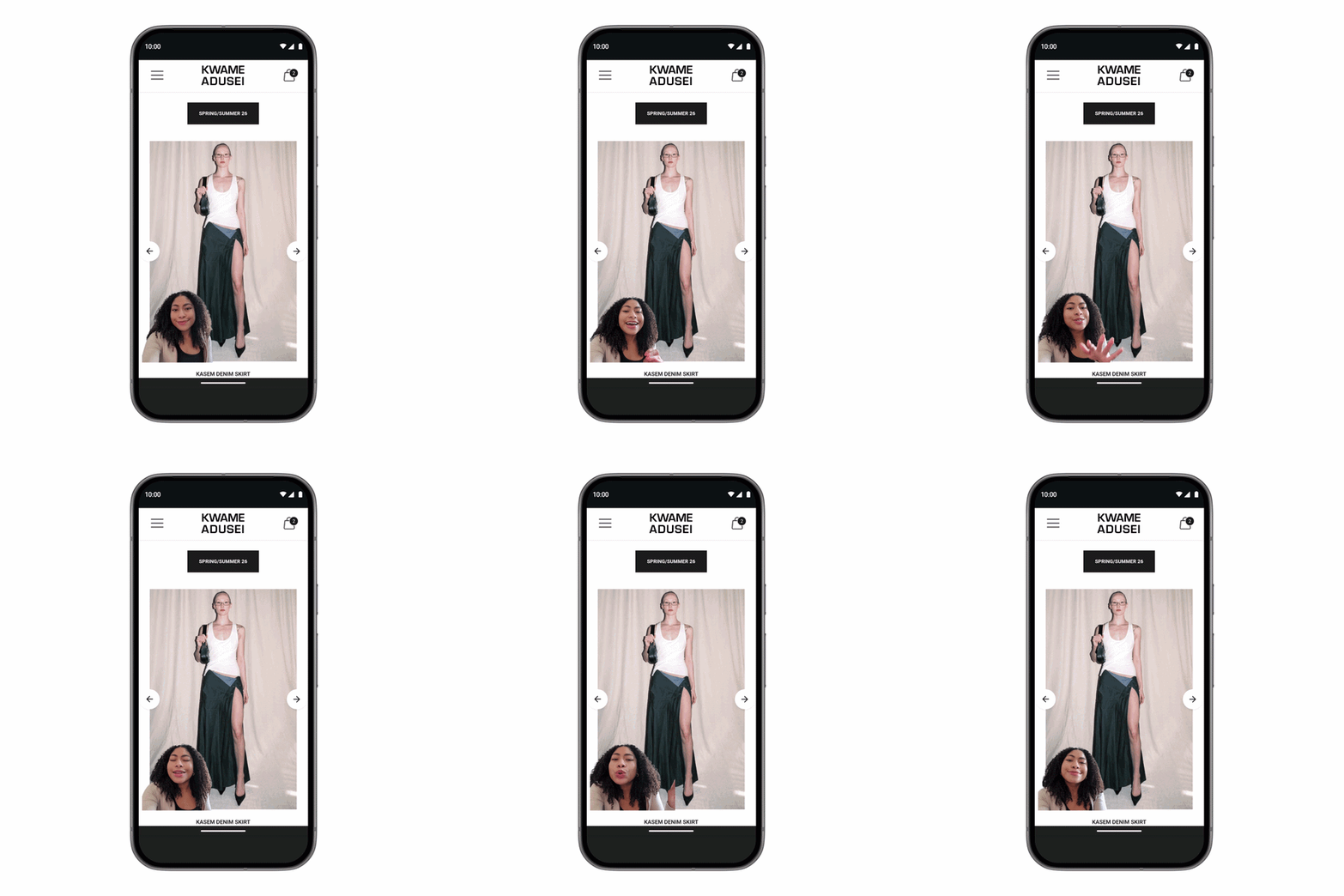
Android 17 has a native tool for recording your screen and front camera simultaneously. It's what you need for reaction videos, how-to walkthroughs, or anything else where both feeds matter at once. It's built into the system, so there's nothing extra to download.
Staying connected.
Three updates for when Android needs to play nicely with the rest of the world, whether that's an iPhone in your group chat, a handset you're moving away from, or the screen sitting in your dashboard.
- Quick Share: QR codes that work on iPhones
Quick Share now generates cloud-based QR codes for file transfers, and they work with iPhones and iPads as well as Android. Your mate scans the code on their iPhone and the file comes through. Neither of you needs to download anything to make it work.
- Switching from iPhone just got easier
Speaking of iPhone, the "Switch to Android" setup flow now transfers passwords, eSIM data, and home screen layouts alongside your photos and contacts. If you've been putting the switch off, most of the friction has been taken out.
- Android Auto gets a redesign
The car display interface is getting an overhaul: edge-to-edge layouts, widget support, Gemini integration for hands-free navigation, and a cleaner visual design overall. You can sort most things out by voice while you drive, which is how it should have worked all along.
What's coming your way.
Android 17 is packing a lot into one update. The Gemini integration goes deep: from Android 17, it sits in the background of the whole system, reading context and handling tasks without waiting to be opened. Security is tighter across the board, with real-time app monitoring and spoofed call blocking both tackling things that have frustrated Android users for years. And for anyone with an iPhone-using social circle, or who's been weighing up a switch from Apple, the cross-ecosystem updates make Android a lot more liveable.
Out of these 17 new features coming to your Android, which one are you most excited to try first? Let us know in the comments below!

