

Set up these life-saving smartphone SOS features in just five minutes.
Pop the kettle on! In the five minutes it takes to brew a proper cup of tea, you could set up a feature on your smartphone that might just save your life.
We all use our mobiles for scrolling social media, streaming shows, and snapping photos, but they are also incredibly powerful safety lifelines. Hidden away in your settings is an Emergency SOS system. Once it is set up, it can instantly contact the emergency services, share your exact location, and ping your closest loved ones to let them know you need a helping hand.
It sounds serious, but getting it sorted is an absolute breeze. Read on for your jargon-free guide to setting up these crucial safety features across Apple, Samsung, and Android devices, as well as their smartwatches. We will also share a few easy tips on helping your friends and family get their own tech sorted too.
The Lifesaving Power of Emergency SOS.
The core idea behind an SOS trigger is brilliantly simple but incredibly effective. It completely bypasses your lock screen to immediately dial 999, while automatically sending text messages containing your real-time location data directly to your chosen emergency contacts.
To make this work flawlessly, it is vitally important to keep your emergency contacts and digital medical records completely up to date. This includes logging details like your allergies, regular medications, and blood type so first responders can access your digital medical ID without ever needing to guess your passcode.
If you love heading off the beaten track, things have gotten even smarter. Supported models, like recent iPhones or the latest Android flagships, can now access Satellite SOS. This incredible tech literally beams your emergency signal to a passing satellite, keeping you safe and connected even when you are miles away from a standard mobile signal or Wi-Fi network.
How to set up SOS on an iPhone.

If you are team Apple, getting this sorted is incredibly easy. Just open up your Health app, tap your profile picture up in the top corner, and select Medical ID to punch in your personal health information and pick your trusted emergency contacts.
To actually use it in a pinch, Apple has made it super intuitive. You just need to press and hold the side power button and either volume button until the Emergency Call slider pops up on your screen. Alternatively, you can just rapidly tap that side button five times in a row to trigger the alarm. We definitely recommend heading over to your main Settings app and tapping on Emergency SOS to tweak your preferences, so you know exactly how your specific phone will behave.
If you wear an Apple Watch, you get even more peace of mind with built-in Fall Detection and Crash Detection. You can simply press and hold the side button under the Digital Crown to instantly call the emergency services right from your wrist.
How to set up SOS on a Samsung Galaxy.
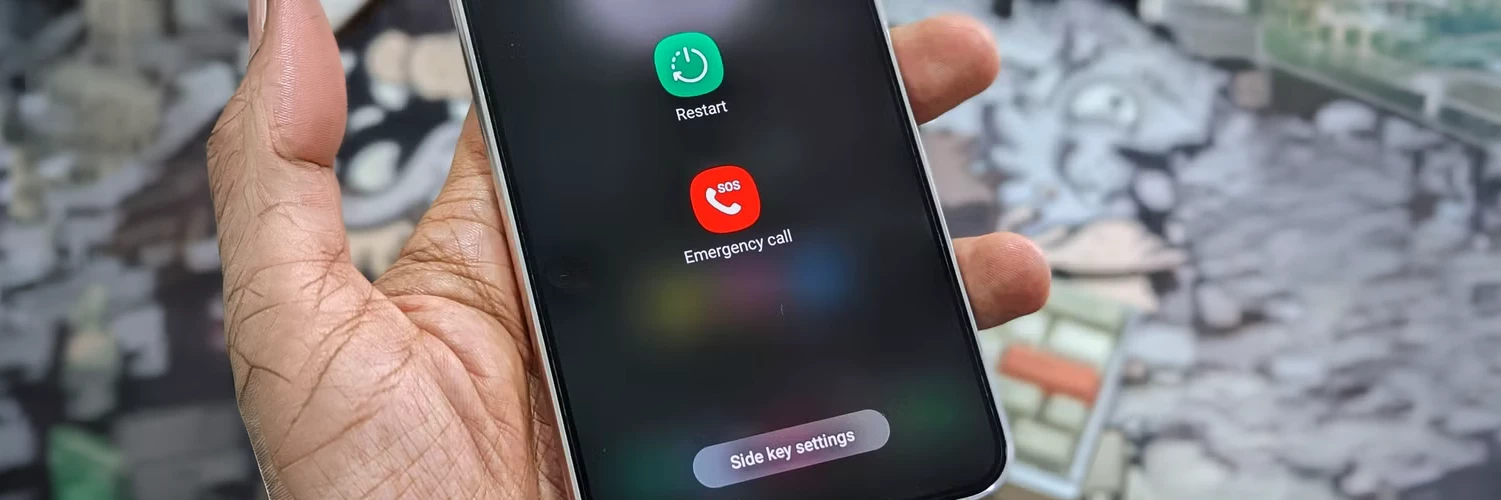
Rocking a Samsung? The process is just as straightforward. Open up your Settings app, scroll down a little bit, and tap on the dedicated Safety and emergency menu to fill out your Medical info section so it is totally accurate.
Tap on Emergency contacts to pick the family members or friends you want on your alert list. When it comes to activating it, Samsung is all about speed. Giving your side power button five quick presses will immediately start the SOS countdown. Just make sure you double-check that the Share info with emergency contacts switch is firmly turned on!
Got a Galaxy Watch strapped to your wrist? You are in luck. It features Hard Fall Detection and lets you trigger an SOS simply by pressing the home button five times in a row.
How to set up SOS on a Google Pixel or Android phone.
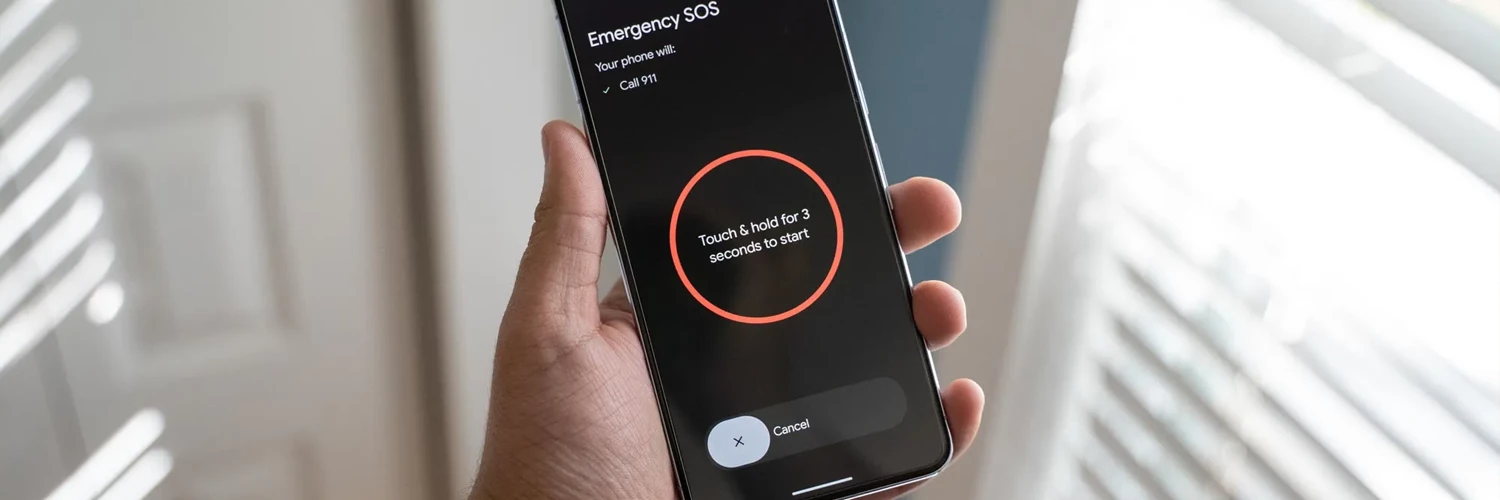
If you have got a Google Pixel or another Android phone in your pocket, just navigate to your Settings and tap on Safety and emergency. You can use the built-in Personal Safety app to pop in your emergency contacts and log those vital medical details so paramedics can read them straight from your lock screen.
You will also find the Emergency SOS toggle right there, which lets you turn on the standard five-press trick for your power button. We also have to mention the absolutely brilliant Car Crash Detection feature available on select Android models, which automatically calls for help if you are unresponsive after a severe impact.
For those rocking a Pixel Watch, your wearable has your back too. It boasts accurate Fall Detection and allows you to call for help by rapidly pressing the tactile crown five times.
Educating Your Loved Ones.

Getting your own tech sorted is brilliant, but helping others out is even better. We encourage you to make this a bit of a social activity. Next time you are having a cup of tea with an older relative, why not offer to take five minutes to get their device and smartwatch set up for them?
It is also a fantastic opportunity to have a chat with teenagers about their personal safety. Instead of a lecture, you can frame the SOS feature as a smart, empowering tool that gives them total peace of mind when they are walking home late from school or travelling alone on public transport.
We reckon making a digital check-up a yearly household routine is a brilliant idea. Taking just a few minutes every spring to ensure everyone's phone numbers, medical conditions, and emergency contacts are totally accurate across the whole family is incredibly worthwhile.
To sum it all up.
Emergency SOS features are incredibly powerful tools that connect you to 999 and share your location with the people who matter most. iPhone users can easily get set up via the Health app, while Samsung and Android users can find everything they need in their Safety and emergency menus.
Smartwatches act as the perfect companion, offering features like Fall Detection and quick wrist-based SOS triggers to keep you protected. Taking just five minutes out of your day to guide a friend or family member through this simple setup process is genuinely one of the most caring things you can do for them.
So, grab your phone right now and double-check those emergency contacts are completely up to date.
Have you ever had to rely on your phone's SOS features during an emergency, or is today the very first time you are setting them up? Let us know in the comments below!

