

The cleverest tricks of the latest Android phones.
Your phone is brilliant at the obvious stuff. Calls, texts, the camera, the morning alarm you snooze three times. But some of the cleverest tricks on a modern Android sit just under the surface, waiting for you to find them.
Three are worth knowing about. One helps you get things done across your apps without the faff. One translates whatever's on your screen on the spot. And one tracks down that outfit you spotted and can't stop thinking about.
Here's how each one works, and why it's worth a play around.
Get more done with Gemini and your favourite apps.

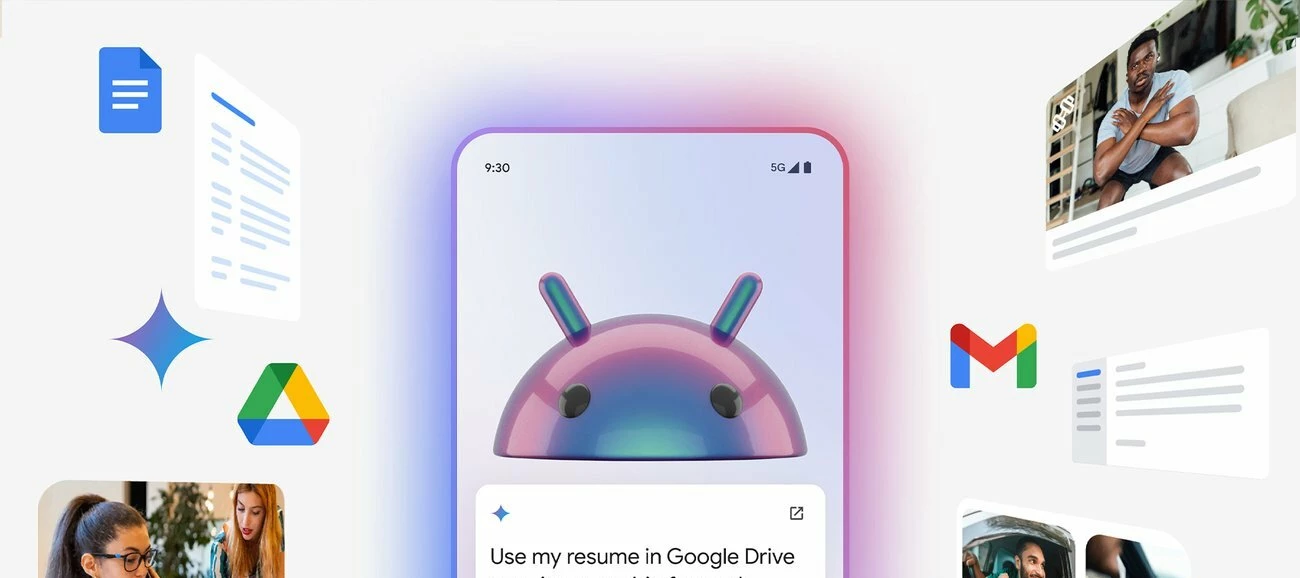
Gemini is Google's built-in assistant, and the handy part is that it doesn't work in a silo. On your Android phone it talks to Google apps like Gmail and Maps, so you can set a reminder, start a list, or pull up directions just by asking.
Say a few of you are getting together to watch the match. Ask Gemini to find the nearest public viewing spot, then share the details with your mates, all in one go. No flicking between four apps to sort it.
You'll need to set Gemini up first, and which apps it connects to can vary by phone. A phone like the Google Pixel 10 is a natural home for it, given Gemini is Google's own assistant running on a Google phone.
Translate anything on your screen, instantly.
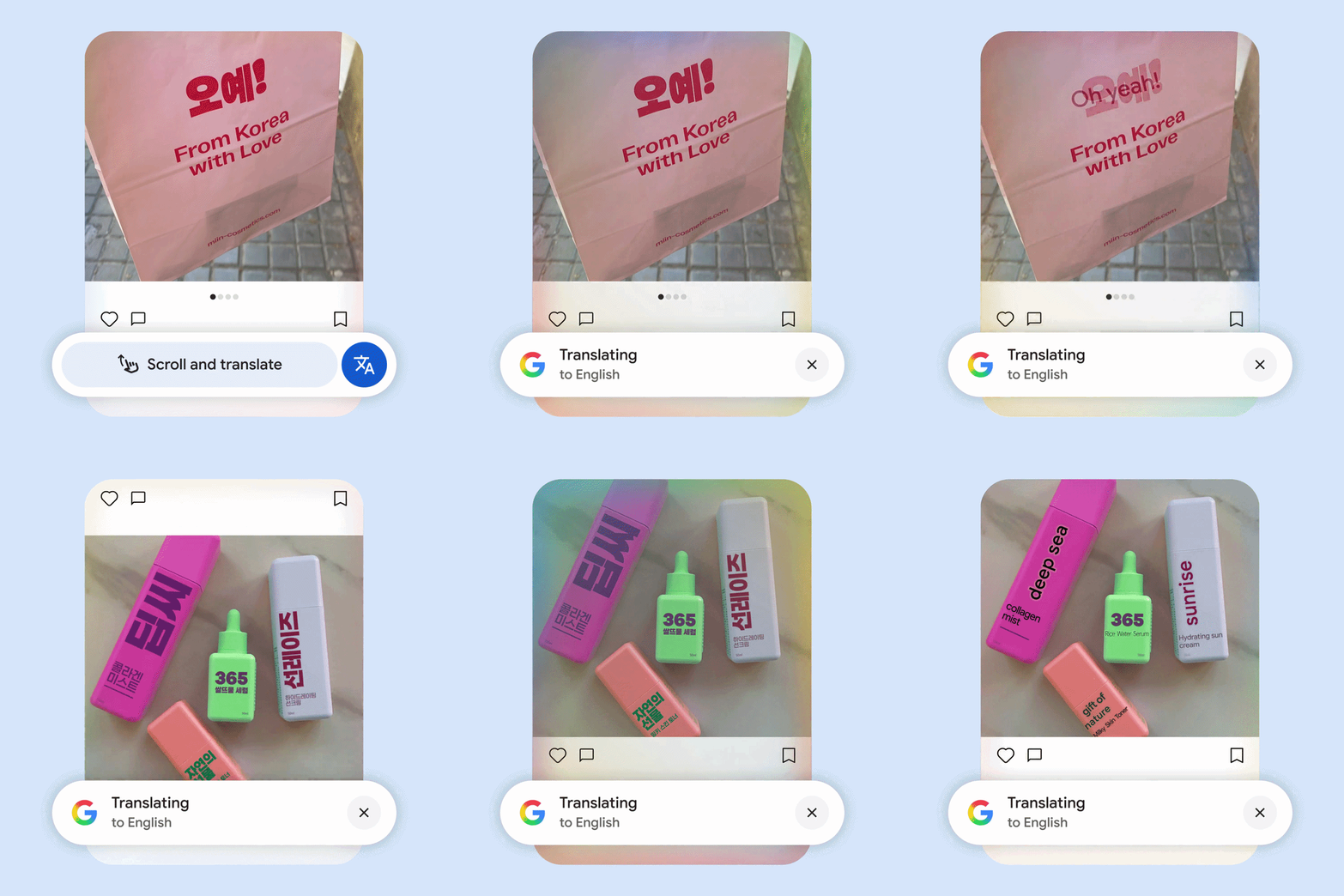
Circle to Search has a translation trick that's genuinely useful once you've tried it. Whatever's on your screen, it'll translate into your preferred language right where you are.
Reading local news on holiday? Squinting at a menu in a restaurant abroad? Trying to follow what football fans in another country are saying under a post? Circle to Search reads the text on screen and translates it without you leaving the app you're in.
It pairs nicely with iD's Inclusive Roaming, so you can use it abroad in 50 destinations on your usual allowances. Results and availability can vary by device, and you don't need the latest flagship to get it. Plenty of wallet-friendly phones handle it, including options on our refurbished range.
Circle it, search it, find the look.
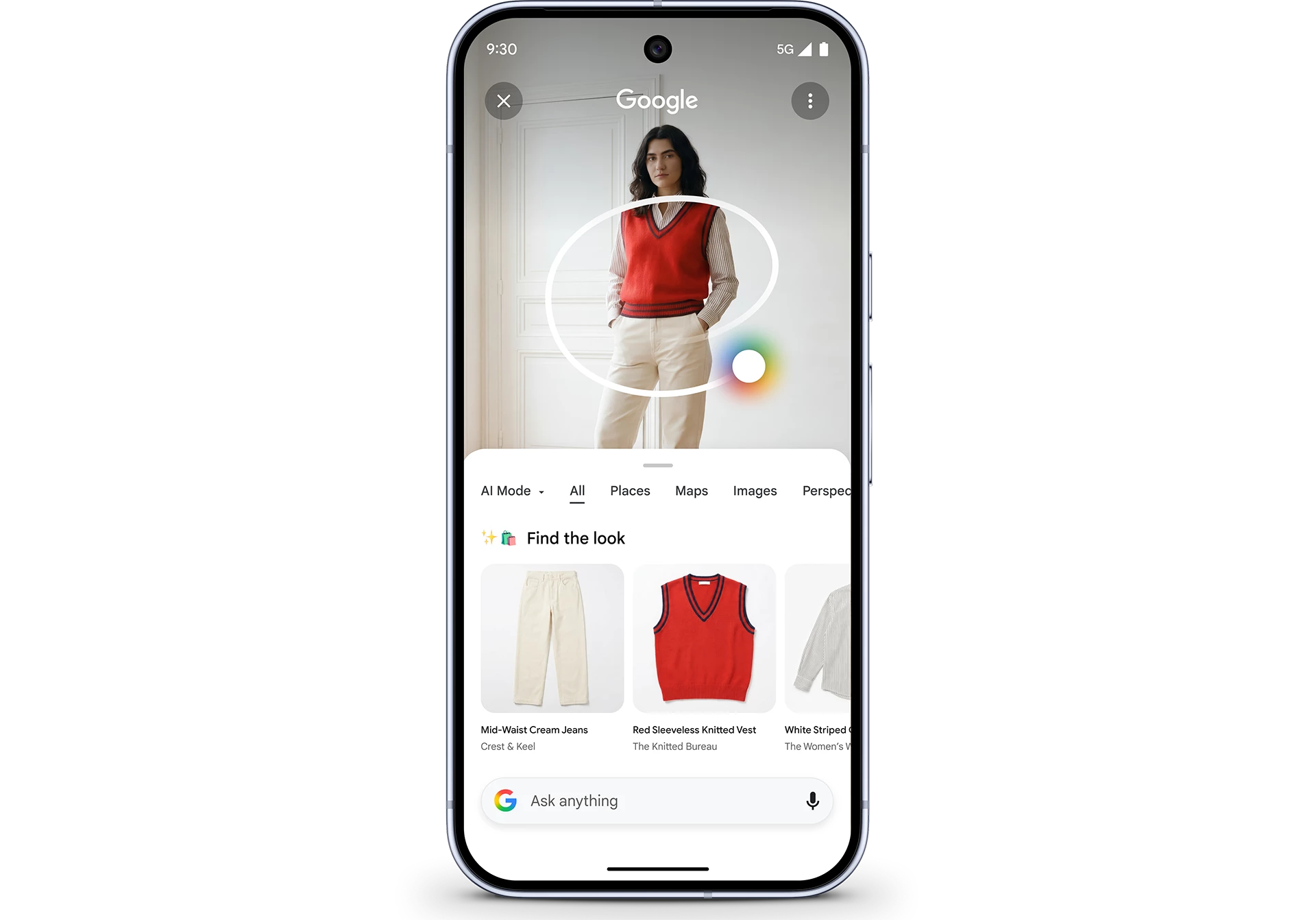
We've all spotted a great outfit and had no idea where it's from. Someone in the stands, a photo on your feed, a stranger with very good taste in coats.
Find the Look sorts that out. Circle the outfit on your screen and Google goes looking, showing you where to buy it and serving up similar styles if the exact one's sold out. It all happens in the same place, no screenshotting and reverse-searching later.
You'll need an internet connection, and it works on compatible apps and Circle to Search devices where Google's AI Overviews or AI Mode are available. Matches depend on what Google can spot in the image, so results will vary.
Fancy a phone that does all this?
These tools are the kind of thing you forget you have until the moment you need them, then wonder how you managed without. Gemini ties your apps together, Circle to Search translates the world in front of you, and Find the Look chases down the styles you love.
If your current phone is missing a few of these, it might be a good time to treat yourself. Take a look at our latest upgrade offers and find the right one for you.
Which of these three would you actually use day to day? Let us know in the comments below!

