
Solved

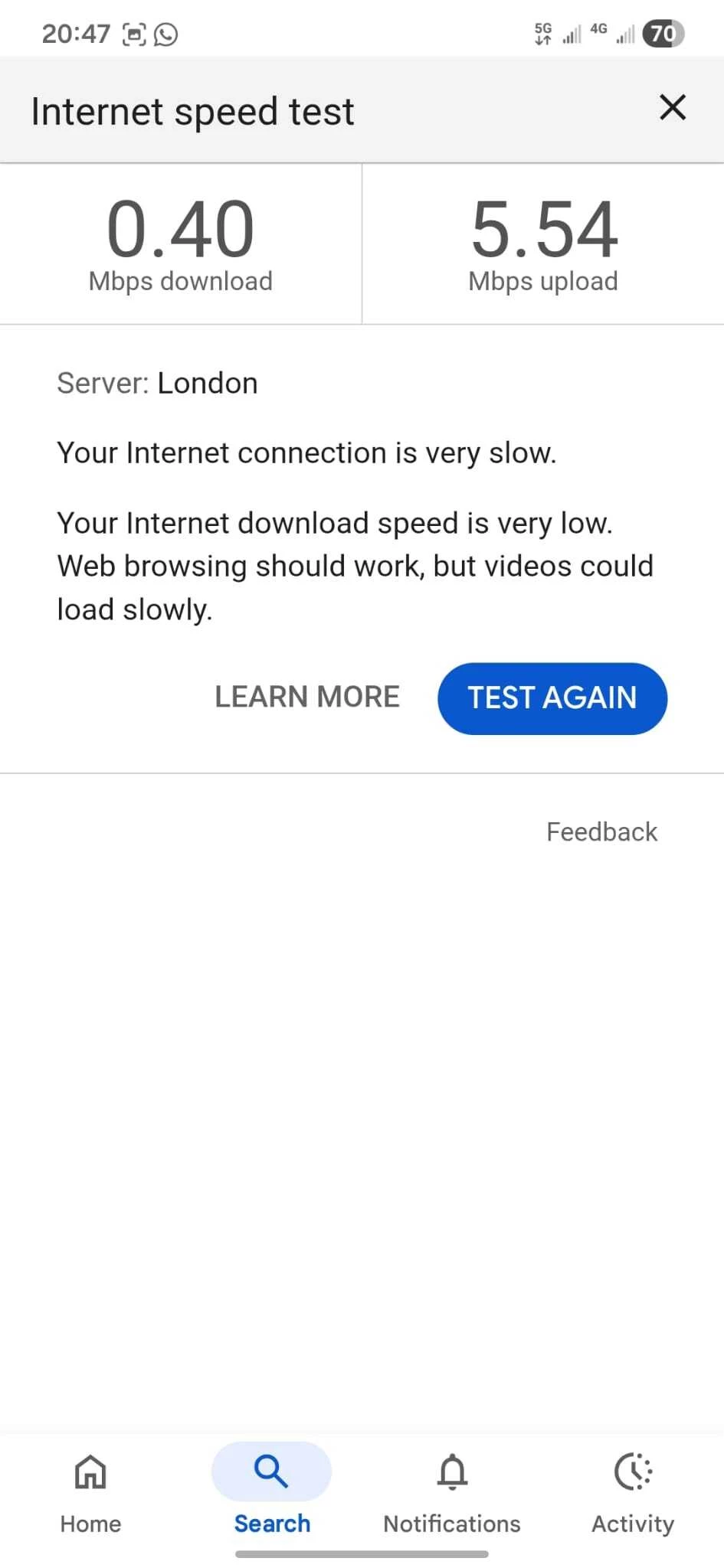
My 5g is being throttled and I only use 10-20% of my monthly allowance!

  • February 15, 2026
  • 5 replies
  • 58 views

I noticed that my 5G is very slow in my home area, 3-full bars on 5g but I’m getting around 1mbps download, which makes it totally un-usuable for anything other that texting.


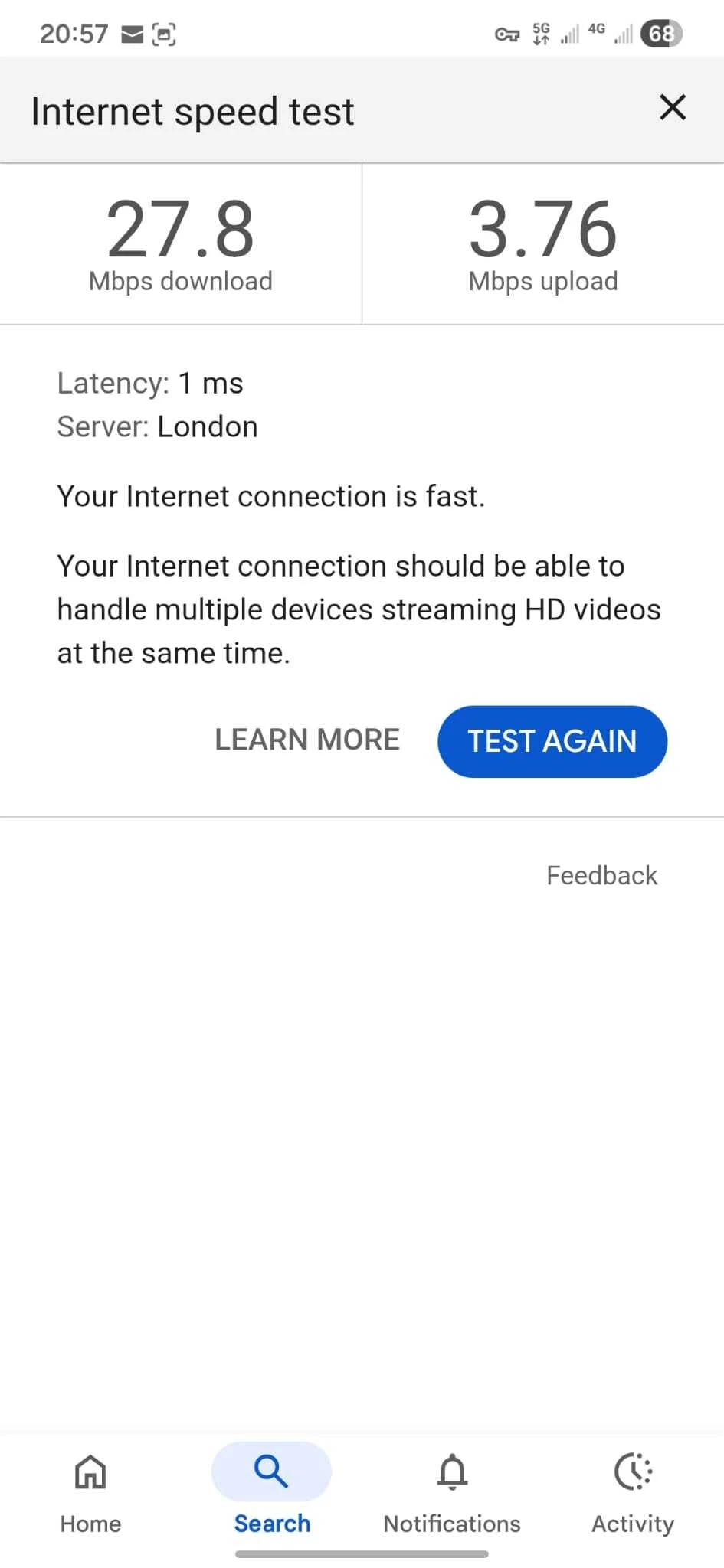
I googled it and results told me to use VPN and this gave me immediately 27mbps.


Can someone from ID mobile please explain why I am being throttled? I dont even use 10% of my monthly data limit.


Best answer by WelshPaul

I doubt your being throttled. Most likely down to congestion.

5 replies

WelshPaul
Platinum 
Contributor
Forum|alt.badge.img+26
  • Platinum 
Contributor
  • Answer
  • February 15, 2026

I doubt your being throttled. Most likely down to congestion.


  • Author
  • New Contributor
  • February 15, 2026

I’ve done the speed test middle of the night, evening (now) and afternoon. All non existant data speeds around my home cell.

I’m not technical but why does data speed go up when I use a UK VPN, it’s still connecting to the same cell tower?


WelshPaul
Platinum 
Contributor
Forum|alt.badge.img+26
  • Platinum 
Contributor
  • February 15, 2026

Congestion might not be with the tower itself but rather the backhaul. Using a VPN effectively changes your backhaul.


Forum|alt.badge.img+2
  • iD Mobile Employee
  • February 18, 2026

Hi ​@AYCT.


To help resolve this, we recommend performing a network reset on your iPhone. This often refreshes your connection to the network and can improve speeds. Please follow these steps:


Update Your Number

Go to Settings → Phone → My Number

Delete the old number

Enter your correct number using the keypad

Tap Save


 Reset iMessage & Network Settings

Go to Settings → Messages and turn iMessage OFF

Go to Settings → General → Reset → Reset Network Settings
(This will remove saved Wi-Fi passwords but won’t delete personal data.)

Restart your iPhone


Re-enable iMessage

Go back to Settings → Messages

Turn iMessage ON


Once completed, your iPhone should recognize your SIM properly and refresh the network connection.

After doing this, please check your 5G speeds again. If the issue persists, let us know so we can investigate further and ensure your service is working as expected.


~Marquerita


  • Author
  • New Contributor
  • February 18, 2026

Hi ​@AYCT.


To help resolve this, we recommend performing a network reset on your iPhone. This often refreshes your connection to the network and can improve speeds. Please follow these steps:


Update Your Number

Go to Settings → Phone → My Number

Delete the old number

Enter your correct number using the keypad

Tap Save


 Reset iMessage & Network Settings

Go to Settings → Messages and turn iMessage OFF

Go to Settings → General → Reset → Reset Network Settings
(This will remove saved Wi-Fi passwords but won’t delete personal data.)

Restart your iPhone


Re-enable iMessage

Go back to Settings → Messages

Turn iMessage ON


Once completed, your iPhone should recognize your SIM properly and refresh the network connection.

After doing this, please check your 5G speeds again. If the issue persists, let us know so we can investigate further and ensure your service is working as expected.


~Marquerita

Thanks but I use Samsung s24+


