
Question

data roam limit in eu

  • April 24, 2026
  • 4 replies
  • 15 views

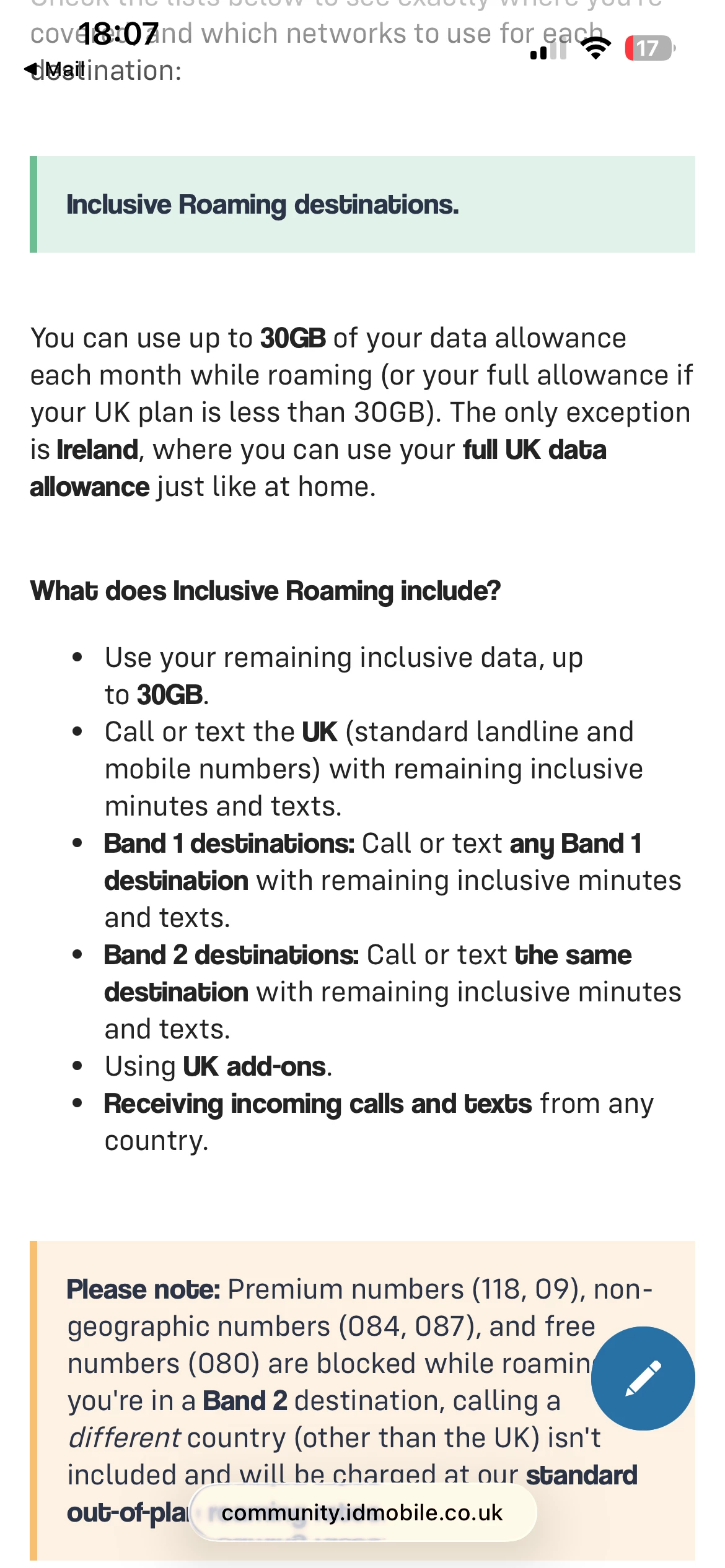
I asked for clarity on this and was sent link to page as shown. I question if this info is correct as was told verbally and shows on website that limit is removed. Please clarify.
 

4 replies

Forum|alt.badge.img+2
  • iD Mobile Employee
  • April 24, 2026

Hi ​@Rowleygreen.


Thank you for your post. 


To clarify, the information provided is correct and reflects our current roaming policy:


You can use up to 30GB of your monthly data allowance while roaming in eligible destinations.
If your UK plan is less than 30GB, then you can use your full allowance abroad.
The exception to this is Ireland, where you can use your full UK allowance just like you would at home.


So while some older or verbal information may suggest unlimited usage, the current policy does include the 30GB fair usage limit for roaming in most destinations.


I understand how this can seem conflicting, and I’m really sorry for the confusion this has caused. If you’d like, we can also double-check your specific plan and roaming entitlement for you.


Thanks,

Marquerita

The iD Mobile Team


  • Author
  • New Contributor
  • April 24, 2026

No, your comment directly conflicts with what an advisor told me on the phone and this information from your web site.


I really do think that your company needs to be absolutely clear on this please and demonstrate this to your customers 


  • Author
  • New Contributor
  • April 27, 2026

Please take a look at my specific plan as you suggested. The app shows I have over 100GB remaining, this includes rollover. How can i see how much of the 30gb roaming limit i have used/what data remains please. Otherwise how can i tell when i will run out of allowance/go into an overspend?


Gemma M
iD Mobile Employee
Forum|alt.badge.img+8
  • iD Mobile Employee
  • April 27, 2026

Hi ​@Rowleygreen,


I've just sent you a private message to help get this sorted.


To find it, click your profile picture in the top-right corner and select ‘Private Messages’.


You can also use this direct link to your inbox: https://community.idmobile.co.uk/inbox/overview 


We'll speak to you there.


Thanks,


Gemma M

The iD Mobile Social Media Team

