

How do I get a replacement SIM or eSIM?

Contents:
There are a few ways to get a replacement SIM or eSIM. Here’s everything you need to know:
How do I get a replacement SIM card?
If your SIM card doesn't fit your phone, or it's been lost or stolen, you’ll need a replacement.
Option 1: Visit any Currys store (Fastest Method)
Find your nearest store and head to the mobile section. One of our colleagues can give you a replacement SIM card there and then.
Option 2: Chat to us
Our Live Chat team can order a replacement SIM for you. It'll be posted to the account holder’s address and usually arrives in 3-5 working days.
How do I get a replacement eSIM?
Option 1: The iD Mobile app (Recommended)
The quickest way to get a replacement eSIM is via the iD Mobile app or my.idmobile.co.uk:
- Tap Plan.
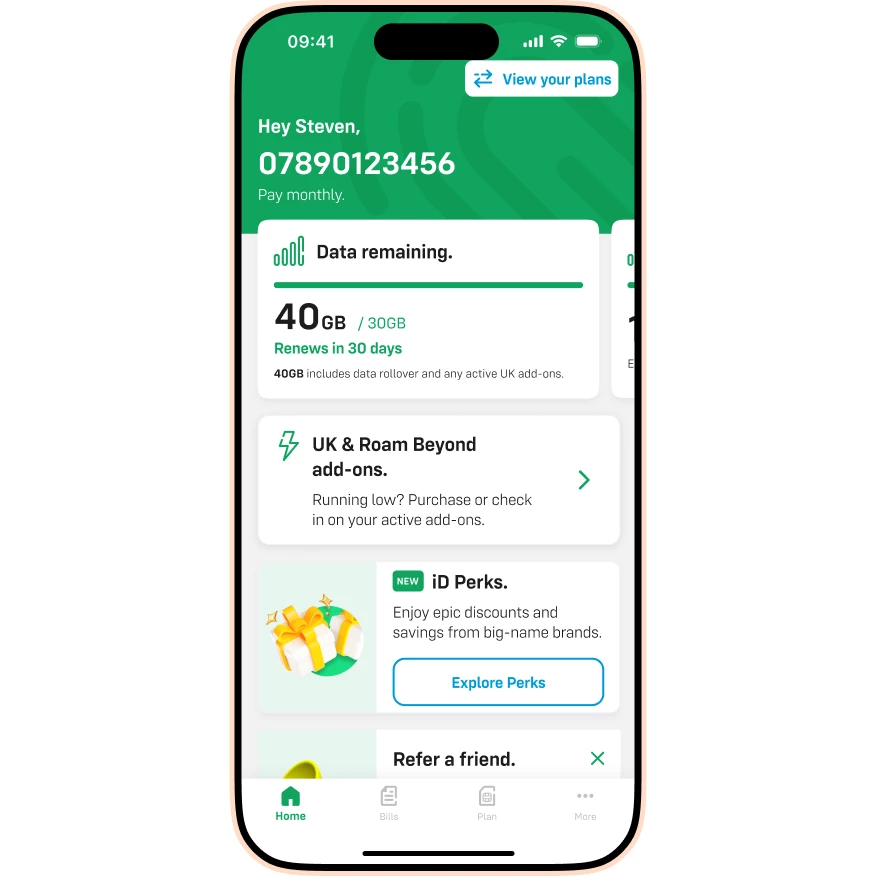
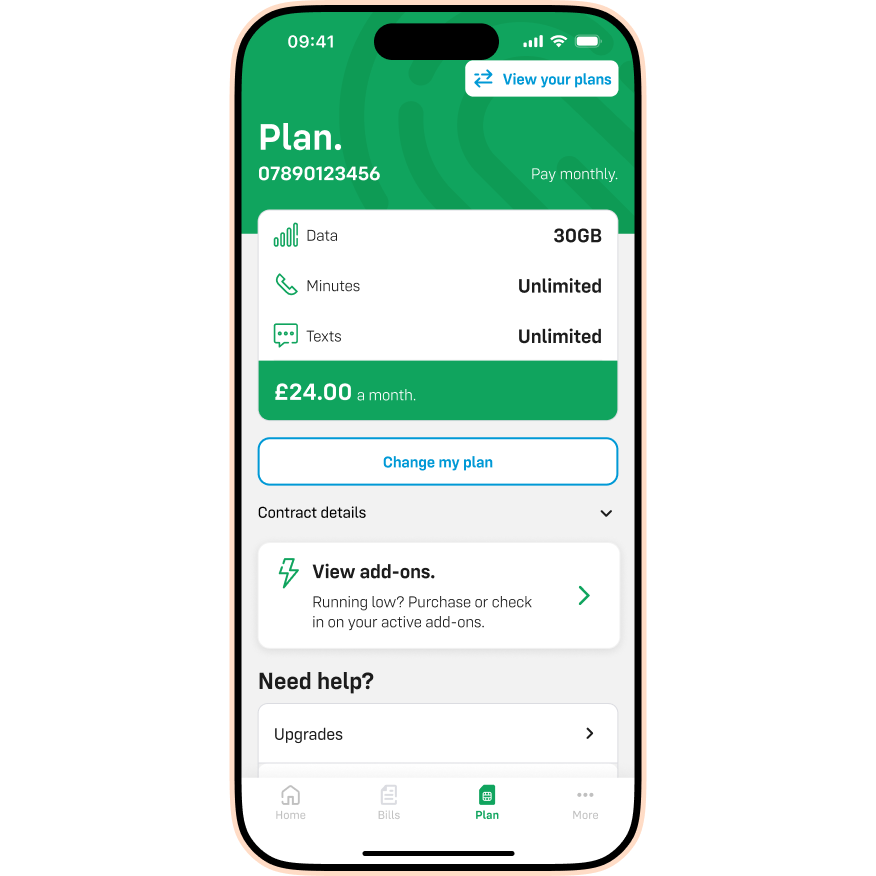
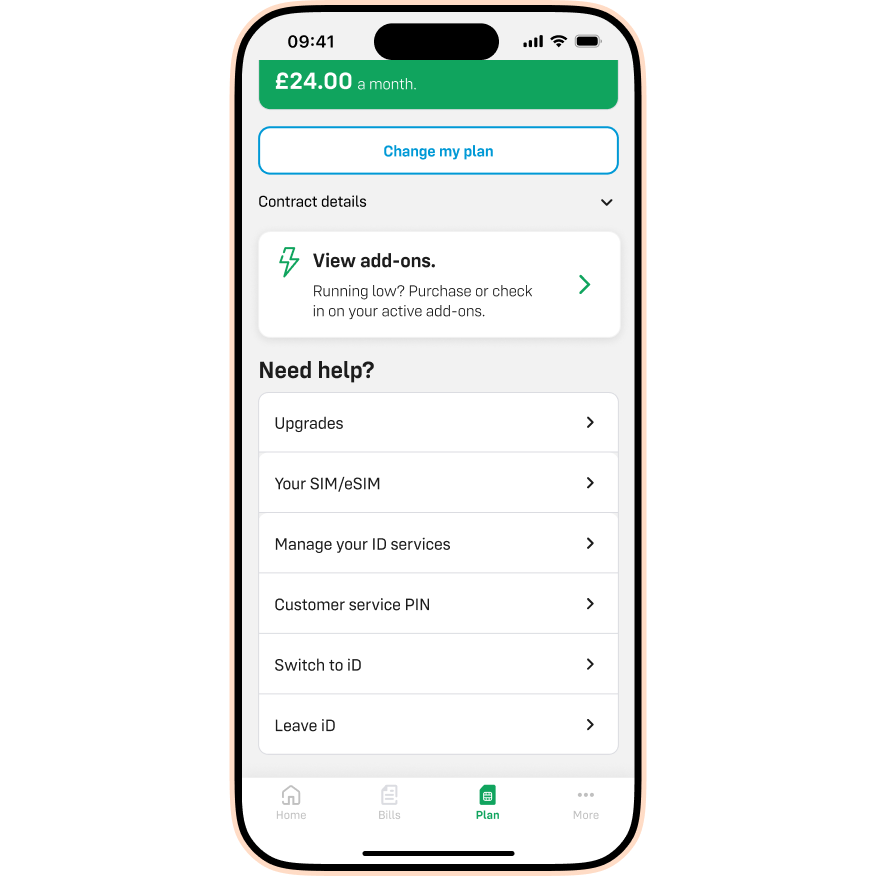
- Scroll down to Quick links.
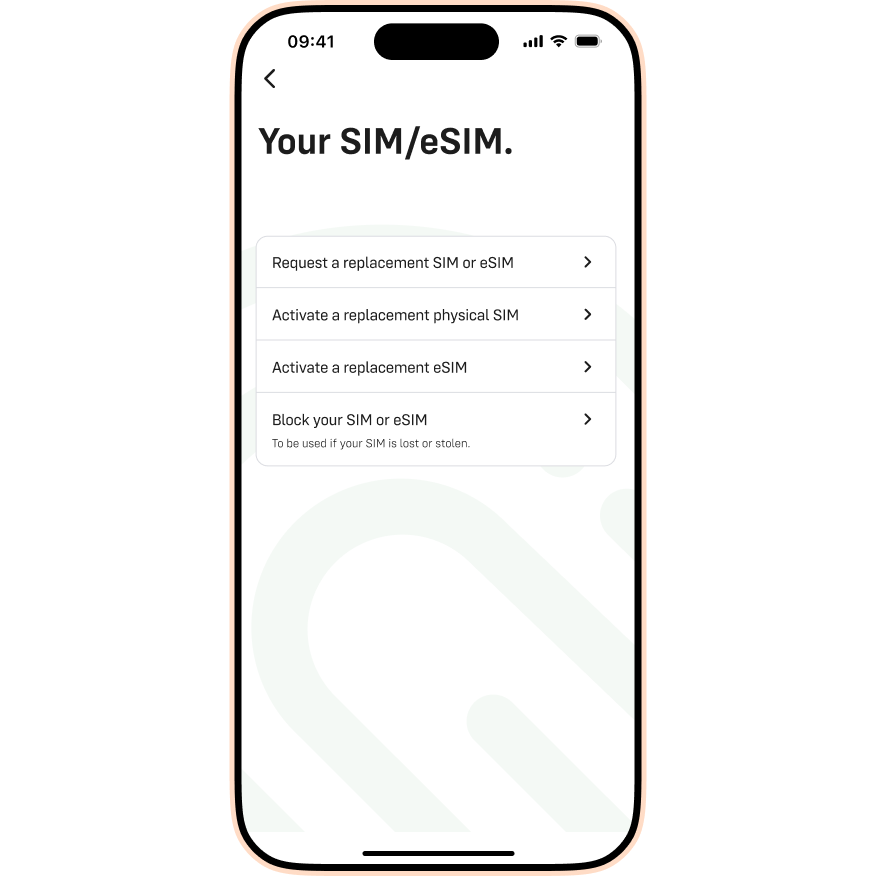
- Tap Your SIM/eSIM.
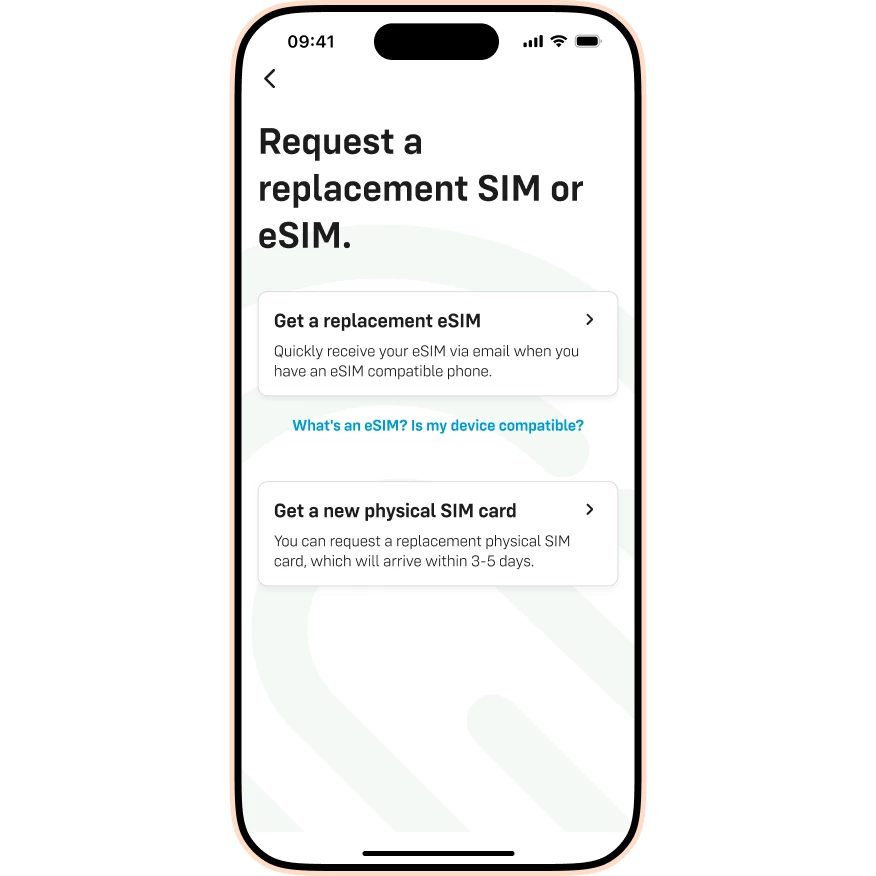
- Tap Request a replacement SIM or eSIM.
- Tap Get a replacement eSIM.
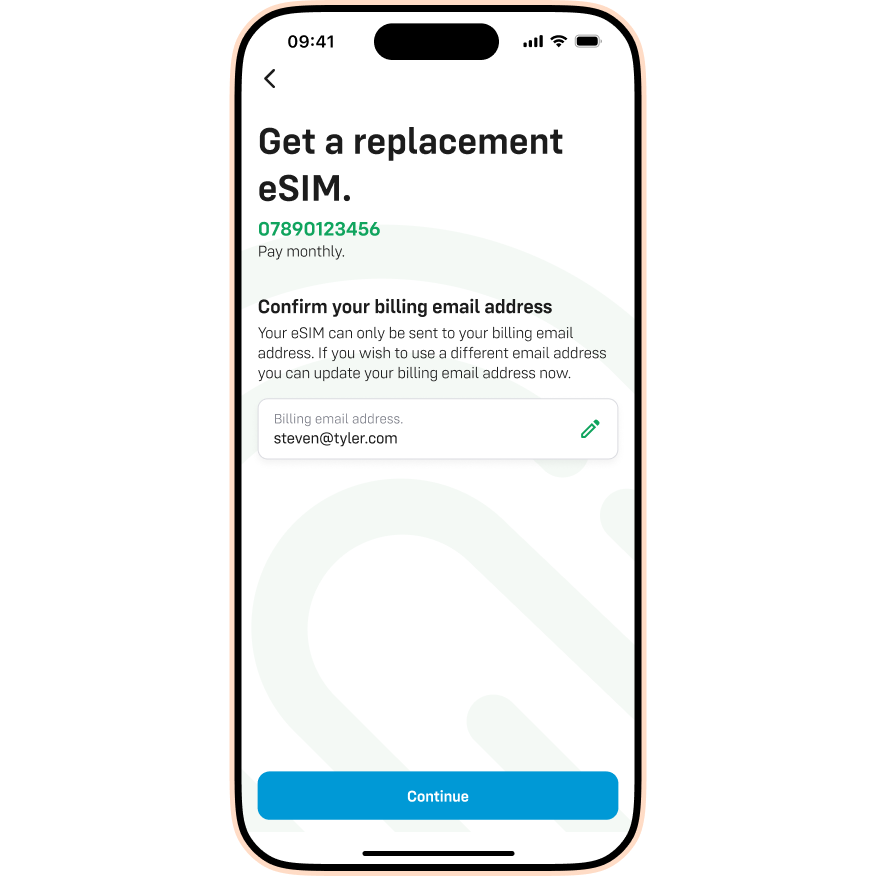
- Check your email address is correct, then tap Continue.
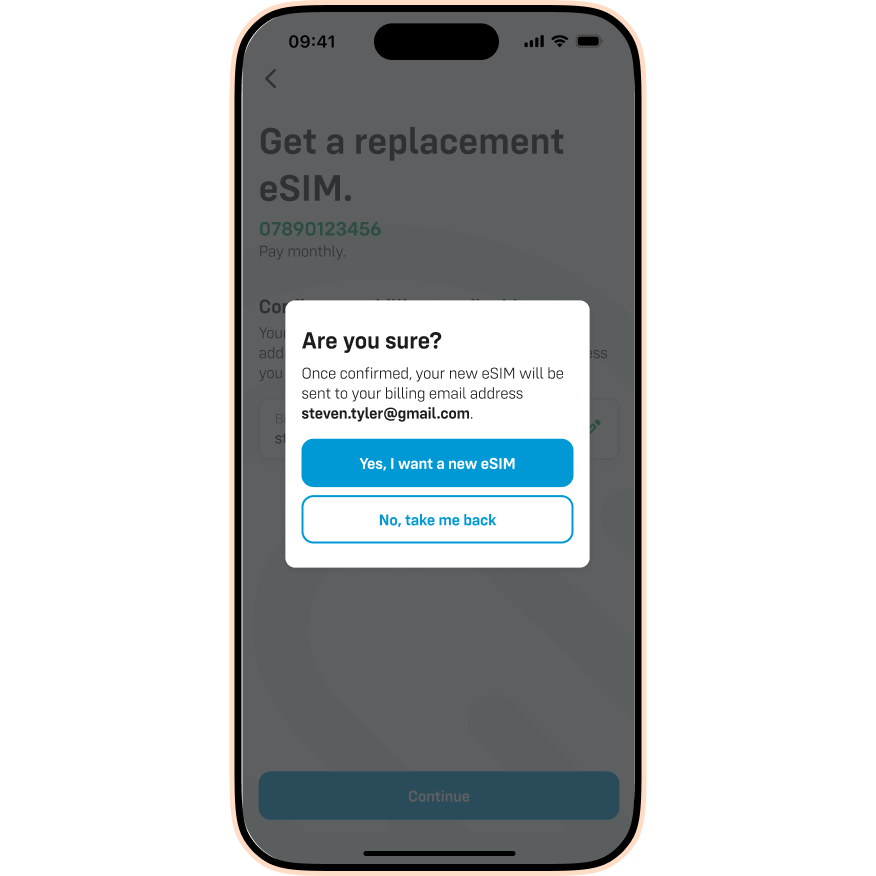
- Tap Yes, I want a new eSIM.
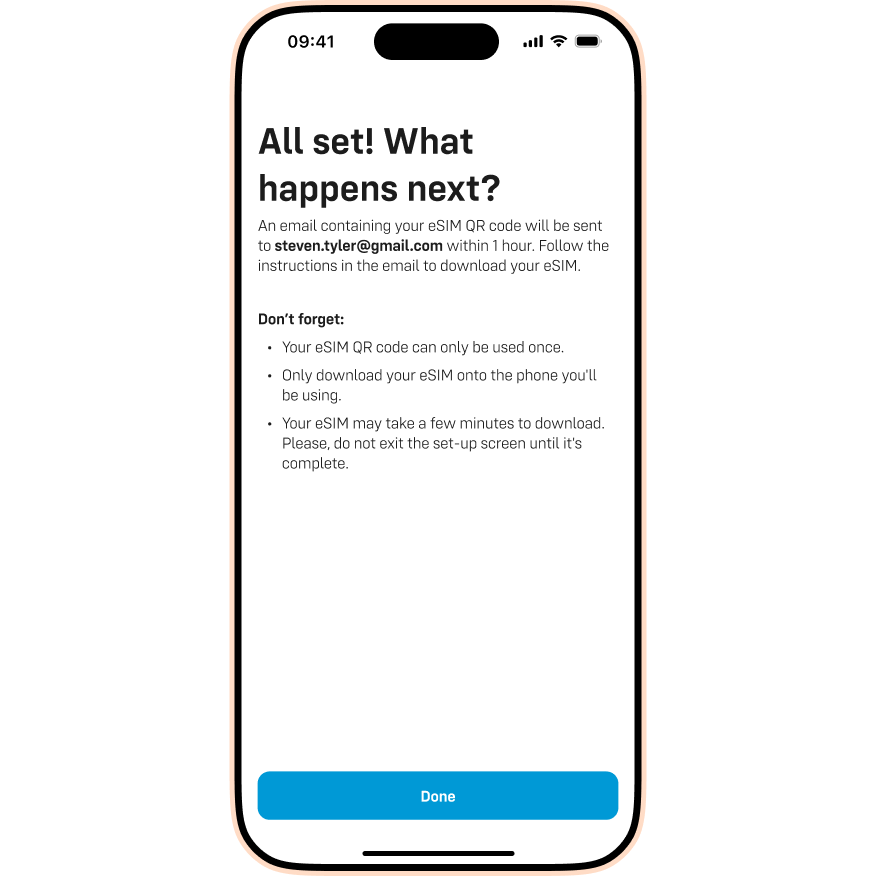
- All done! Tap Done.
Option 2: Chat to us
Alternatively, our Live Chat team can send a replacement eSIM QR code to the account holder’s email address.
Got your replacement? Here is how to activate it.
Once you have your new SIM or eSIM, you need to activate it to get up and running. Check out the guide below for the full steps:

