Question

Change Direct Debit Date Issue

  • June 30, 2026
  • 1 reply
  • 11 views

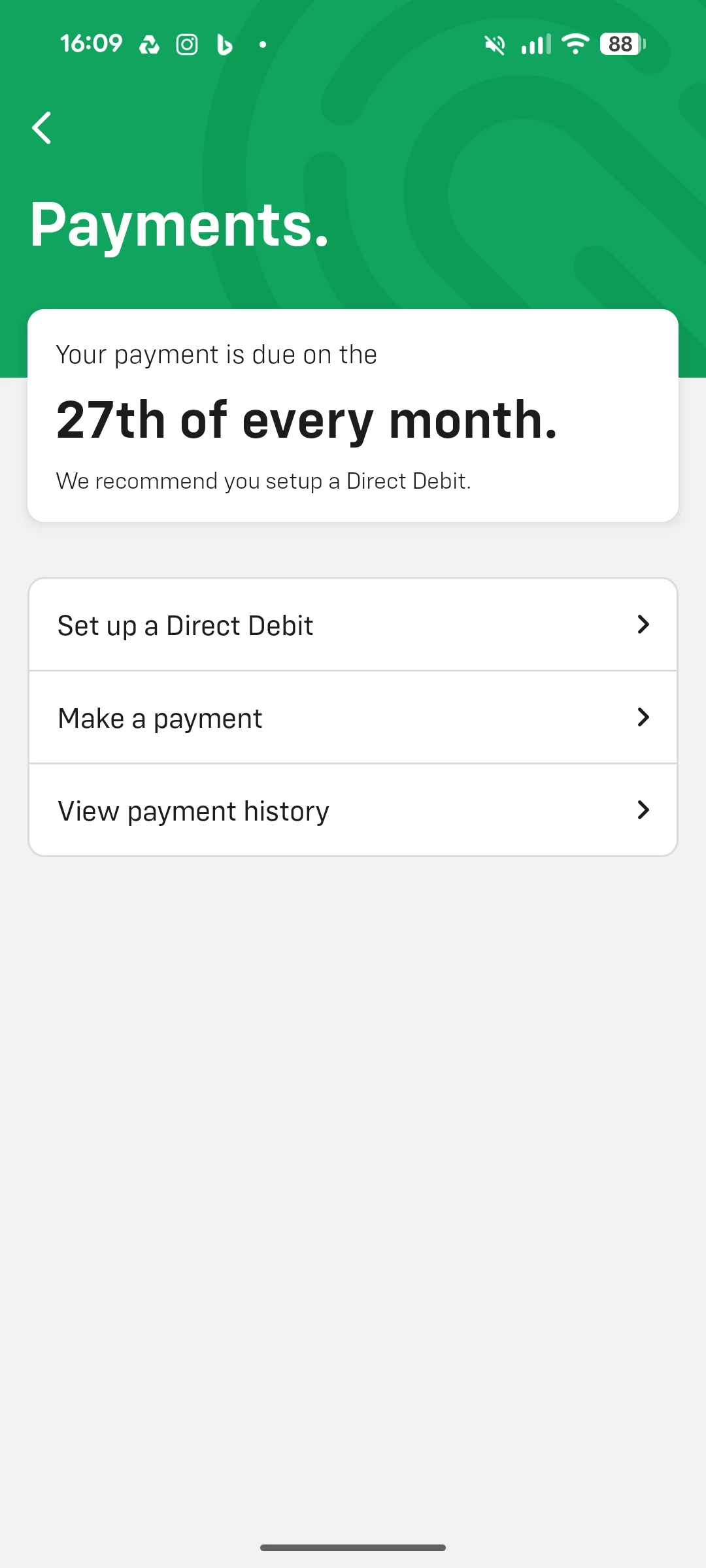
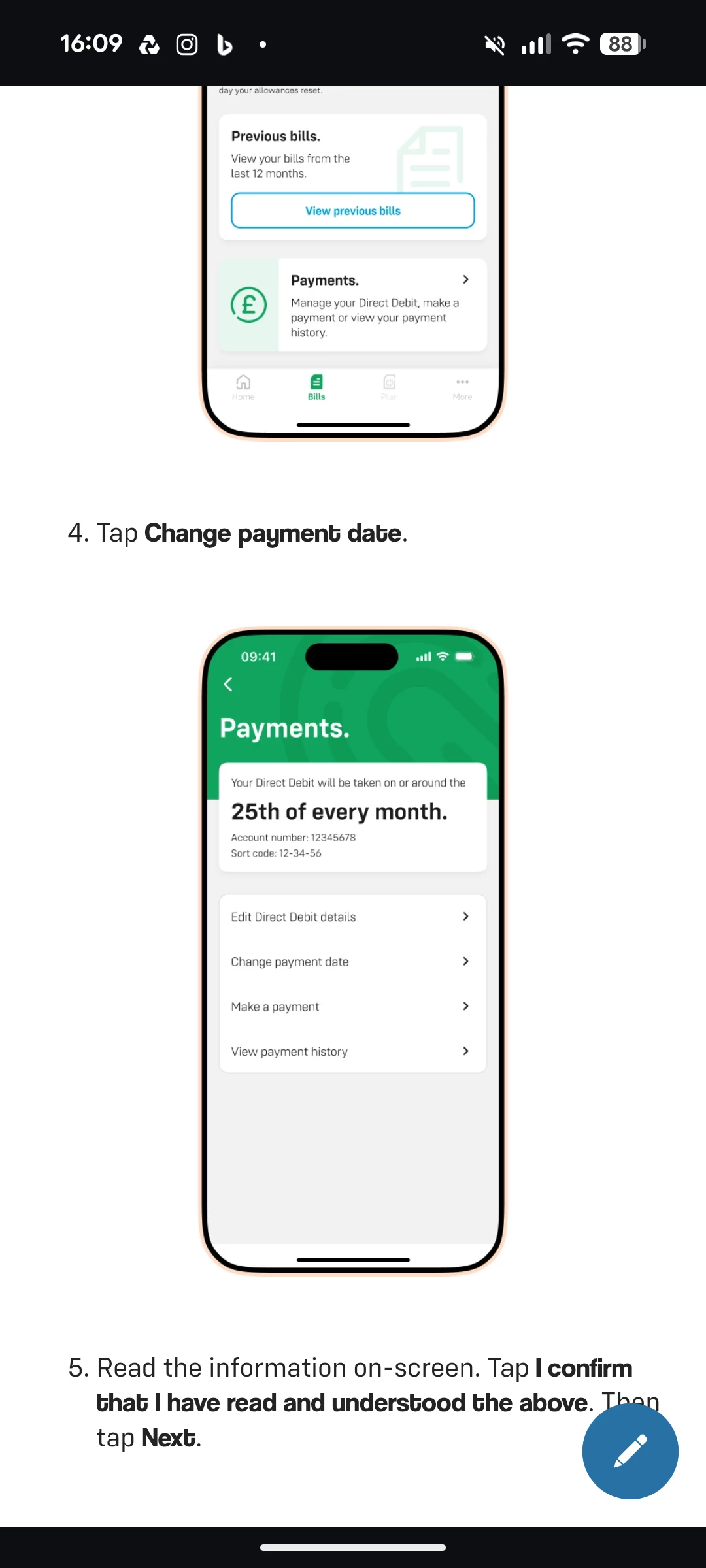
Please look at the 2 images below CLOSELY. One is a screenshot of the instructions to change the direct debit date on the app. It is very easy to follow, and you can see there are 4 options in the image.

The 2nd image is a screenshot of the actual page in the app. You can see that it's the same page but there are only 3 options, with the "Change Payment Option" missing.

Please help me to change the payment date. If I am unable to, I'll have to move to a company that will let me.
 

1 reply

Gemma M
iD Mobile Employee
Forum|alt.badge.img+15
  • iD Mobile Employee
  • July 2, 2026

Hi ​@Starsky01,


We're sorry to hear you're having trouble with this, and we appreciate you pointing out the difference between the help guide and what you're seeing in the app.


Unfortunately, we're unable to change your Direct Debit payment date from our end. However, you can still do this through your online account by following these steps:

  1. Go to https://my.idmobile.co.uk/login and sign in.
  2. Select Bills.
  3. Click Manage your payments.
  4. Select Change your payment date.
  5. Choose your preferred payment date, read the Terms & Conditions, and submit your request.


Please note that your Direct Debit payment date can only be changed once every 6 months.


A few things to be aware of:

  • Due to the Direct Debit process, payment may be taken up to 3 working days after your chosen payment date.
  • The new payment date will take effect from your next billing period. Any pending payment will still be taken on the original due date.
  • Your billing period will change to align with your new payment date.
  • Your allowances will refresh on your new billing date.
  • Your next billing period may be longer than usual, so your allowances and line rental will be pro-rated. This means your next bill may be higher than normal.


If you're still unable to see the option online, please contact our Customer Service team via Live Chat so they can investigate why it isn't appearing on your account.


Regards,


Gemma M

The iD Mobile Social Media Team