Question

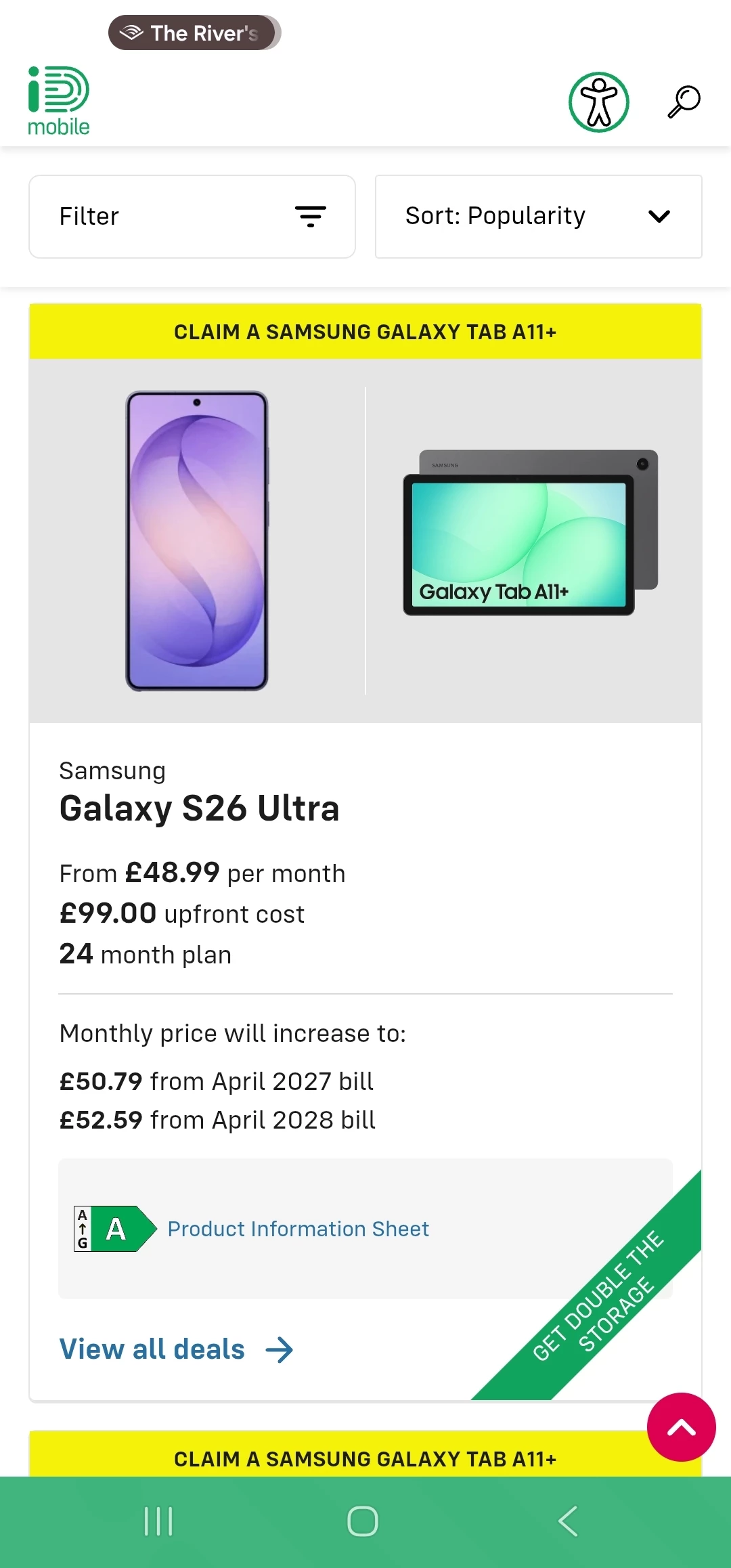
Upgrade deal states 'double the storage' offer but when I click into it can't see this option?

  • June 7, 2026
  • 3 replies
  • 27 views

For upgrading to Samsung S26 Ultra


3 replies

Lamiya C
iD Mobile Employee
Forum|alt.badge.img+10
  • iD Mobile Employee
  • June 8, 2026

Hi ​@So0phZ ,


Thanks for sending the screenshot, that really helps.

I can see the “Get double the storage” banner on the deal, so this promotion is included in the offer, but it’s not something you manually select as a separate option.

Why you can’t see it:
The storage upgrade is usually automatically applied at checkout
It may only show after you click through to the device and storage selection step
In some cases, the promotion applies to a specific storage variant only, so it won’t appear as a toggle option

What to try:
Click “View all deals” and go fully into the handset selection page
Check the available storage options listed there (the upgrade is often already included in the price)
Try refreshing the page or using a different browser/device

Lamiya


  • Author
  • New Contributor
  • June 8, 2026

Still doesn't seem to change to the higher storage option. I don't want to risk checking out and getting the 256GB


Owethu M
iD Mobile Employee
Forum|alt.badge.img+10
  • iD Mobile Employee
  • June 9, 2026

Hi ​@So0phZ


We're sorry to hear that you're struggling with placing an order.


We would recommend contacting our Sales Team, as they will be able to review the offers available on your account and discuss any options that may be suitable for you.


Please note that the offers displayed in the iD Mobile app can sometimes include new customer promotions, which may not qualify as upgrade deals. Our Sales Team will be able to confirm which offers you are eligible for and discuss them with you in more detail.


You can contact Sales via:

  • Live Chat on the iD Mobile website
  • Phone: 0800 049 0250

Owethu