New Contributor
January 8, 2026
Solved

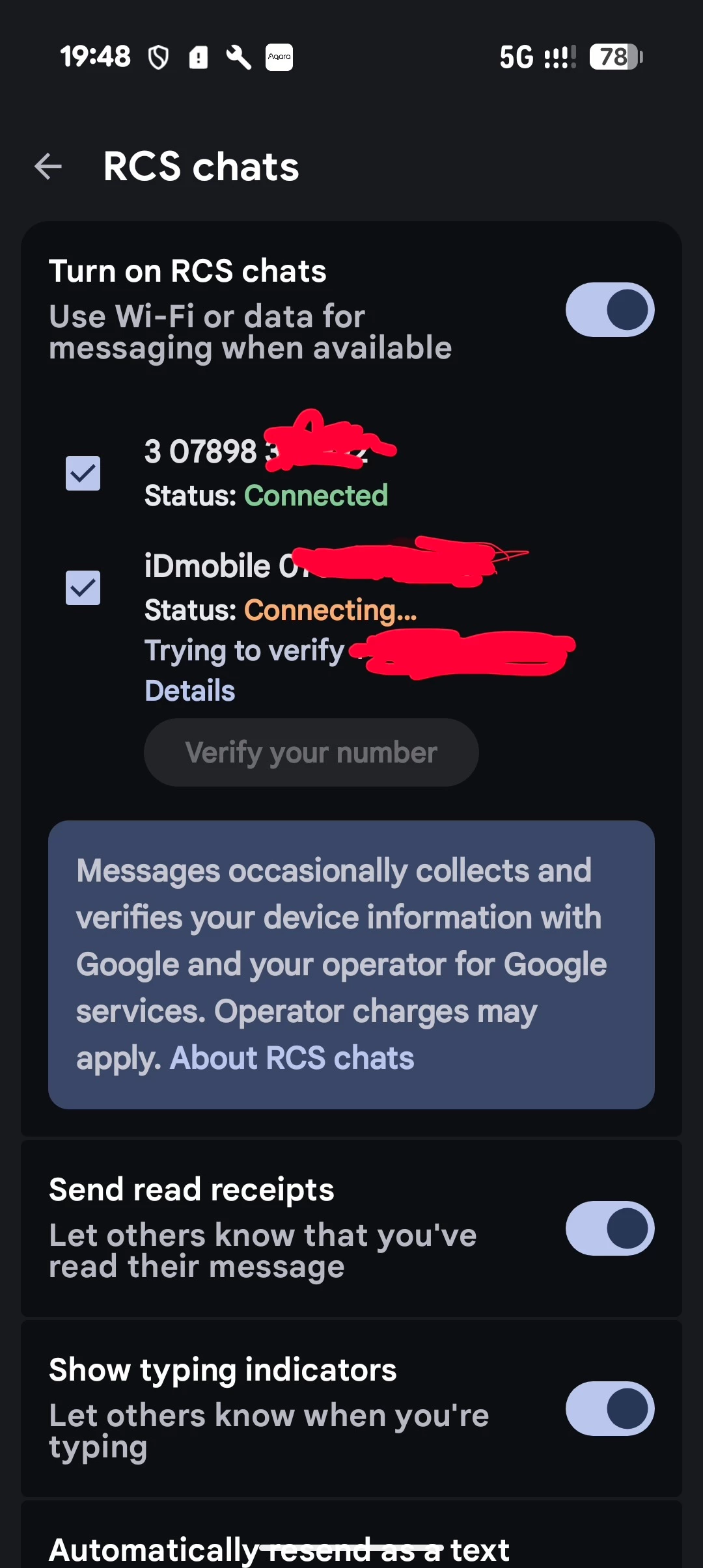
iDmobile RCS not working but Three UK RCS works

  • January 8, 2026
  • 2 replies
  • 40 views
It is like that for 3 days 3 connets in about 10 seconds - idmobile NEVER


    Best answer by WelshPaul

    Try the following;


    1) Open Messages, go to Settings (top right, Message Settings), open "Chat Features" or "RCS Chats", verify if this is the correct number or not.


    2) If it shows the incorrect one, then head to: https://messages.google.com/disable-chat and you should be able to unregister the number. Once done, turn off the Chat Features/RCS and the phone. Wait a few minutes and turn the device back on and re-enable Chat Features/RCS it should let you re-register/update to the correct number.

    2 replies

    WelshPaul
    Platinum 
Contributor
    WelshPaulAnswer
    Platinum 
Contributor
    January 8, 2026

    Try the following;


    1) Open Messages, go to Settings (top right, Message Settings), open "Chat Features" or "RCS Chats", verify if this is the correct number or not.


    2) If it shows the incorrect one, then head to: https://messages.google.com/disable-chat and you should be able to unregister the number. Once done, turn off the Chat Features/RCS and the phone. Wait a few minutes and turn the device back on and re-enable Chat Features/RCS it should let you re-register/update to the correct number.

    I have no affiliation whatsoever with iD Mobile or any subsidiary companies. Comments posted are entirely of my own opinion. Did my comment help answer your question? If so, don't forget to mark the response as the Most Helpful Answer.

    WelshPaul
    Platinum 
Contributor
    Platinum 
Contributor
    January 8, 2026

    Try the following;


    1) Open Messages, go to Settings (top right, Message Settings), open "Chat Features" or "RCS Chats", verify if this is the correct number or not.


    2) If it shows the incorrect one, then head to: https://messages.google.com/disable-chat and you should be able to unregister the number. Once done, turn off the Chat Features/RCS and the phone. Wait a few minutes and turn the device back on and re-enable Chat Features/RCS it should let you re-register/update to the correct number.

    I have no affiliation whatsoever with iD Mobile or any subsidiary companies. Comments posted are entirely of my own opinion. Did my comment help answer your question? If so, don't forget to mark the response as the Most Helpful Answer.