
Question

cant get started

  • May 29, 2026
  • 1 reply
  • 9 views

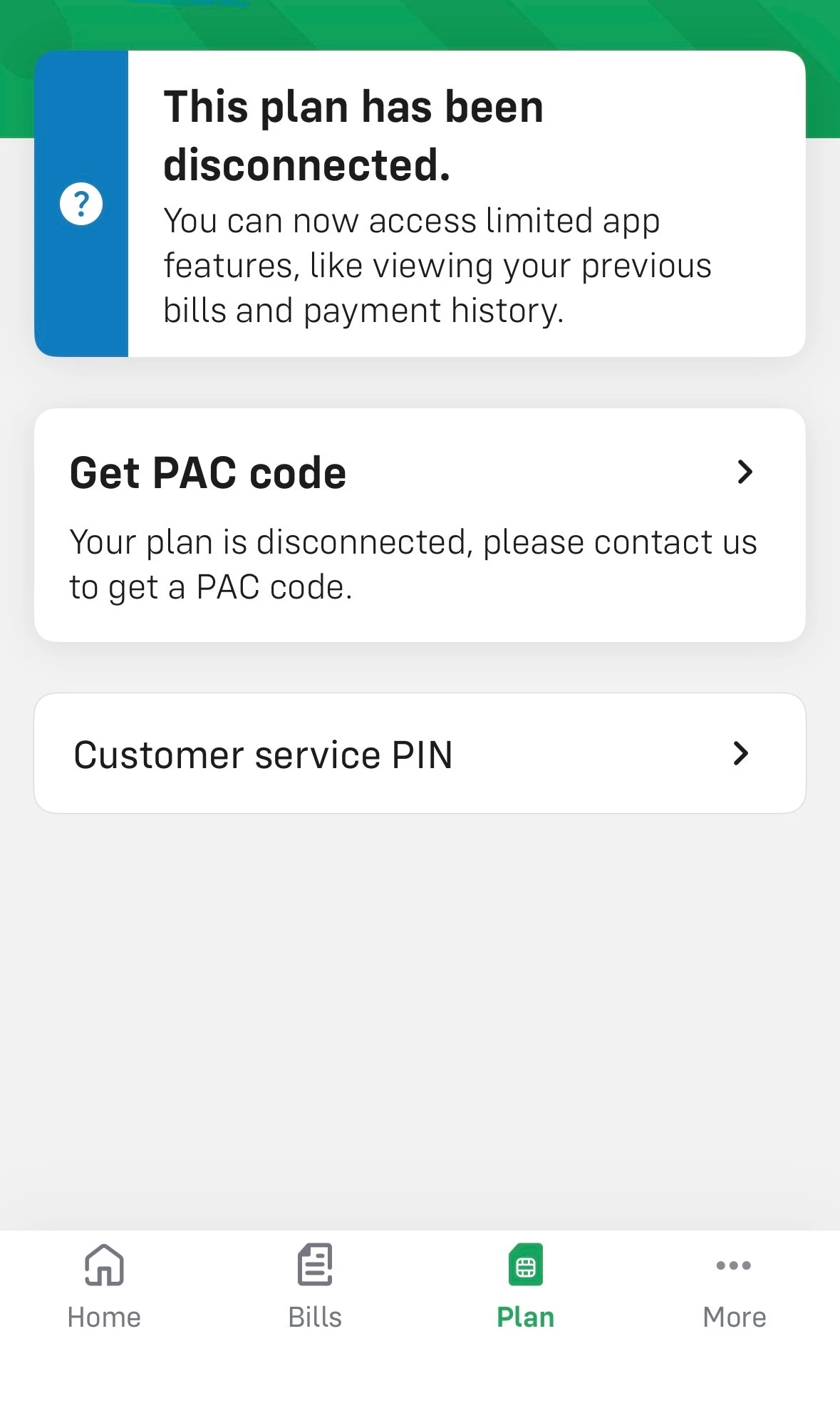
I’m returning to id after a few months away and have ordered a new e sim this time. All I can get in the plan section is the message I’ve shown. Been through the hints have deleted and re in stalled the app but nothing else is showing. Think I’ve messed up the details in settings to trying to sort it out. I didn’t give a PASS code when I ordered as I didn’t have it. Now can’t find anywhere to add this to try to keep my number   Any ideas


1 reply

Gemma M
iD Mobile Employee
Forum|alt.badge.img+11
  • iD Mobile Employee
  • May 31, 2026

Hi ​@Cyderyder,


Thanks for getting in touch.


It sounds like the issue is related to the number porting (keeping your existing number) and the lack of a PAC code being provided at the time of order.


A PAC code is required in order to transfer your existing number onto your new iD Mobile eSIM. Without it, the order will normally be created with a temporary iD Mobile number, which can then make the account look incomplete or cause the plan section not to display correctly in the app.


To resolve this, please try the following steps:

  • First, check whether your new eSIM is active using your temporary iD Mobile number
  • If you want to keep your original number, you'll need to obtain a PAC code from your previous network
  • Once you have the PAC code, contact our Live Chat team and ask them to apply it to your active iD Mobile account so your number can be transferred over
  • Do not cancel the new SIM or eSIM before this is completed, as it may affect the process


If the app is still not displaying correctly after this, the Live Chat team can also refresh your account and check the provisioning on your eSIM.


Please contact them here: https://www.idmobile.co.uk/live-chat 


Regards,


Gemma M

The iD Mobile Social Media Team

