
Question

Caller ID settings not loading - SIM error

  • July 13, 2026
  • 3 replies
  • 5 views

I am trying to set my number to private/withheld, but the Caller ID setting gets stuck on “loading settings” and I get the following error:
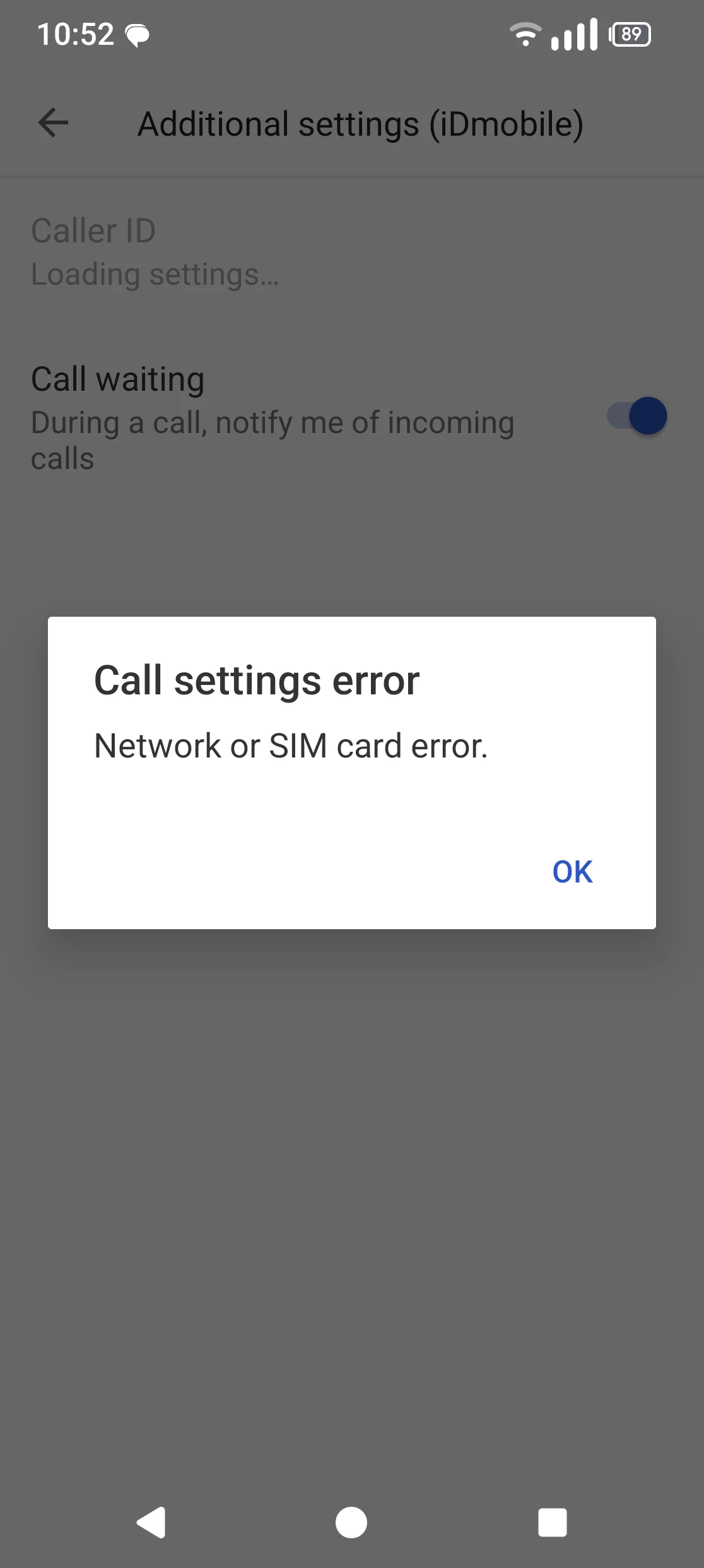
 

I have tried clearing the Phone app cache and restarting my phone to no success. I am on a Fairphone 6 running Android version 16.


3 replies

Gemma M
iD Mobile Employee
Forum|alt.badge.img+15
  • iD Mobile Employee
  • July 13, 2026

Hi ​@carolina_c,


We're sorry to hear you're having trouble with your Caller ID settings.


As you've already cleared the Phone app cache and restarted your device, we'd also recommend trying the following:

  • Check that your phone is running the latest software update.
  • Perform a network settings reset.
  • Test your SIM in another handset (if possible) to see if the setting loads there.
  • If you have access to another SIM, try it in your Fairphone to help determine whether the issue is with the handset or the SIM.


If the issue continues, please contact our Customer Service team via Live Chat so they can check whether there's anything on the line preventing Caller ID changes.


You can contact them here: https://www.idmobile.co.uk/live-chat


Regards,


Gemma M

The iD Mobile Social Media Team


  • Author
  • New Contributor
  • July 13, 2026

Hi Gemma, thanks for your reply, update below:

  • It is running the latest Android update
  • The network settings reset did not fix it
  • It is an eSIM so I don't know how to try it in another device
  • When I switch to another SIM the option is available so the issue seems to be with the SIM

I will contact the live chat team.


Forum|alt.badge.img+8
  • iD Mobile Employee
  • July 13, 2026

Hi ​@carolina_c 


Thank you for your confirmation.

If the issue is related to the SIM card, our Live Chat Team will be happy to assist you further and, if necessary, arrange a replacement SIM card for you.


-Michael