
New Contributor
Oct 31, 2026 10:09 PM UTC
Solved

Mobile Number Not Associated With My Phone

I received the message below in iMessage. 
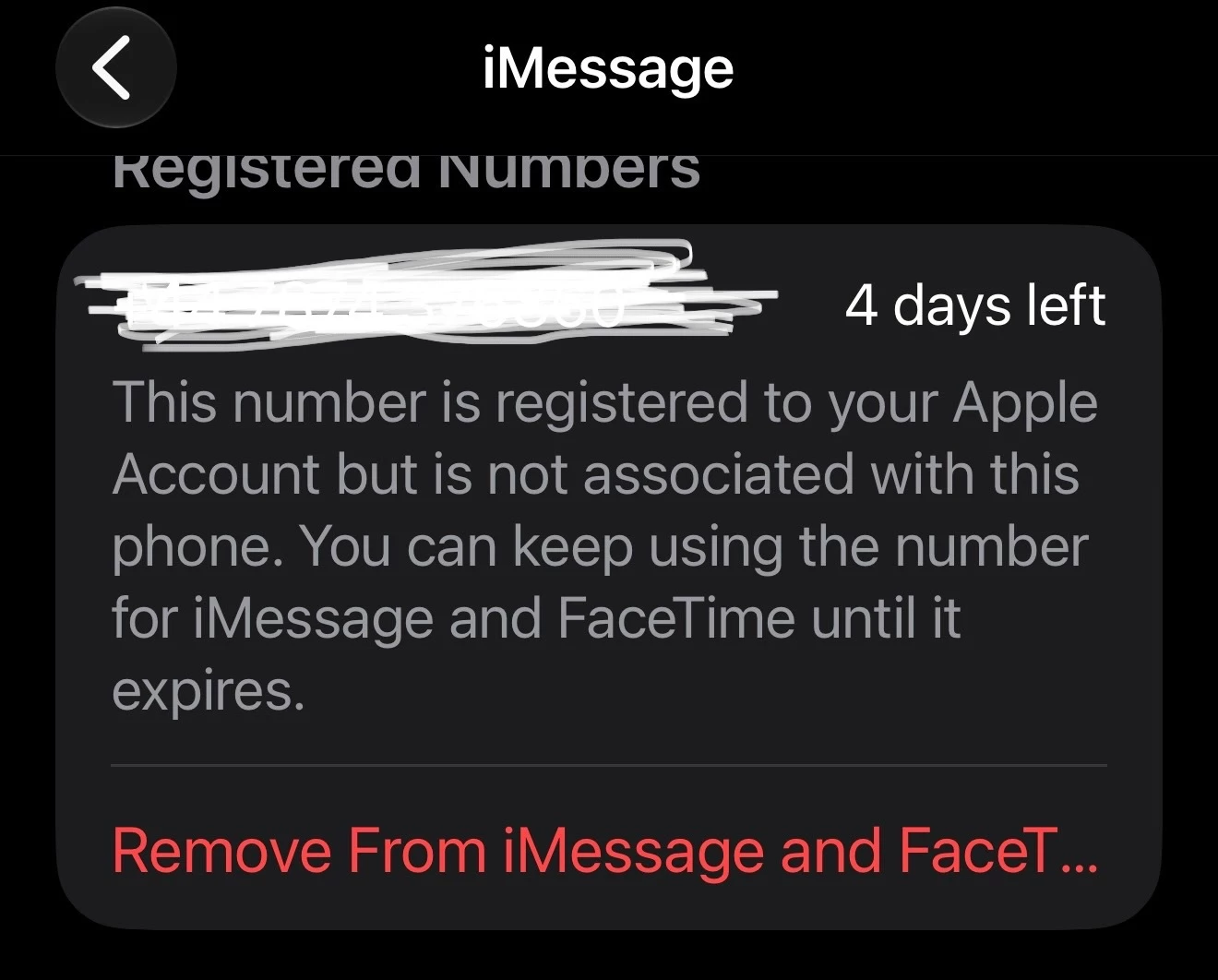


I transferred my old number when I took out an ID Mobile 30 day rolling contract (i renews in 4 days time. Despite the message saying the number is not associated with my phone, it is listed in My Device Settings. Is the message displaying because my current 30 day rolling contract is coming to an end before it renews?  When I first received my ID Mobile sim, it had a different mobile number until I entered the PAC number from my previous provider and this number transferred across. 

    Owethu M
    Owethu MAnswer
    iD Mobile Employee
    Nov 6, 2026 2:53 PM UTC

    Hi ​@GazzaBn, 


    I do apologise that the message still appears. 


    I'd recommend contacting Apple Support to check why your number remains registered to your Apple Account but isn't being recognised as associated with your iPhone.

    Owethu

    4 replies

    Gemma M
    iD Mobile Employee
    iD Mobile Employee
    Nov 3, 2026 7:59 PM UTC

    Hi ​@GazzaBn,


    You can ignore that message. It isn't related to your 30-day rolling plan ending or renewing.


    From the screenshot, this appears to be an Apple iMessage/FaceTime registration issue rather than an iD Mobile account issue. As your transferred number is showing correctly in your phone settings and your services are working, the message is likely due to iMessage still associating the number with a previous SIM registration.


    We'd recommend trying a network settings reset and then refreshing iMessage:

    1. Go to Settings > Phone > My Number and ensure your number is entered correctly with +44.
    2. Go to Settings > Messages and turn iMessage off.
    3. Go to Settings > General > Transfer or Reset iPhone > Reset > Reset Network Settings.
    4. Restart the iPhone.
    5. Go back to Settings > Messages and turn iMessage back on.
    6. Also check Settings > FaceTime and ensure the correct number is selected.


    If everything else is working normally, we'd expect the warning to clear itself once iMessage refreshes its registration.


    Regards,


    Gemma M
    The iD Mobile Social Media Team

    Did my comment help answer your question? If so, don't forget to mark the response as the Most Helpful Answer.
    GazzaBnAuthor
    New Contributor
    Nov 3, 2026 9:28 PM UTC

    I followed all the instructions above. When checking my number in the Facetime settings as per instruction 6, my number is correct but the message is still present and it states there is one day left before it expires.

    GazzaBnAuthor
    New Contributor
    Nov 3, 2026 9:30 PM UTC

    I followed all the instructions above.  At step 6, my number is correct in the Facetime settings but the message is still there and it states there is one day left before it expires.

    Owethu M
    iD Mobile Employee
    Owethu MAnswer
    iD Mobile Employee
    Nov 6, 2026 2:53 PM UTC

    Hi ​@GazzaBn, 


    I do apologise that the message still appears. 


    I'd recommend contacting Apple Support to check why your number remains registered to your Apple Account but isn't being recognised as associated with your iPhone.

    Owethu

