

Discover five hidden iPhone features that support your mental wellbeing.

We’re probably all a bit concerned about how much time our teens spend glued to their screens. But when was the last time you checked your own screen time? After all, digital burnout doesn’t come with an age limit! With World Teen Mental Wellness Day landing on Monday 2 March, it’s a good reminder that phones can support our wellbeing just as much as they can drain it.
The good news? Your iPhone already has loads of built-in tools designed to help you and your teen build a calmer, healthier relationship with tech. No extra apps. No subscriptions. Just five simple features sat in your Settings menu. Switch ‘em on, and hopefully you’ll be feeling less frazzled and more focused.
A quick check-in with ‘State of Mind’ (iOS 17+).

State of Mind is kind of like a mini mood journal that takes literally five seconds to fill in. You’ll find it in the Apple Health app, and it lets you log how you’re feeling either ‘in this moment’ or ‘for the whole day’.
For your teen:
Teens deal with a lot. There’s pressure from school and social media drama. Not to mention the fact their brain is still wiring itself together. Having a private space to label their feelings gives them time to breathe. And being able to track patterns helps them understand their emotions instead of wrestling with them.
For you:
It’s not just teens who need emotional regulation. You might notice your mood dips after late-night work emails or during long social scrolls. Seeing that pattern in black and white is often enough to nudge you towards better boundaries. (Yes, you do need to stop replying to emails after 10pm).
Focus modes – a family reset button.

Notifications have a habit of interrupting you at the worst possible time. That’s where Focus Modes come in – Personal, Sleep, Work, Study, or even a custom one like ‘Dinner Time’.
Silence the noise:
Focus Modes filter out non-urgent notifications so you can get things done without constant buzzing. For kids, that means fewer TikTok pings mid-homework. For adults, it means your brain doesn’t fly into action every time you get a Slack notification.
Lead by example:
If you tell your teen to unplug during dinner, but you’re sneakily checking WhatsApp under the table, they’ll notice. A shared family focus sets the tone. Everyone’s phone goes quiet and everyone get a breather. Even the group chat can wait 30 minutes.
Sleep health:
Setting a Sleep Schedule dims your screen, prompts you to wind down and helps your brain get the memo that the day is over. A well-rested household = fewer morning meltdowns. Parents included.
Communication Safety & content limits.

The internet is an amazing place. Saying that though, it can sometimes serve up stuff that no one wants to see. Apple’s Communication Safety feature (found under Screen Time) automatically blurs sensitive content like nudity in Messages or AirDrop.
For teens:
That split-second pause can be a lifesaver emotionally. It gives them a moment to choose – often nudging them toward not viewing the content and talking to someone they trust instead.
For adults:
Unsolicited shocking content isn’t just a teen problem. Turn on Sensitive Content Warning for yourself too. Protecting your own wellbeing is just as important.
Setting boundaries without the eye rolls:
Screen Time’s App Limits can benefit everyone. Instead of framing them as ‘restrictions’, try calling them ‘mental breaks’. Setting a 30-minute cap for endless scrolling apps like Instagram can lower anxiety and improve focus – and not just for the teens.
Screen distance: because eye strain = brain strain.

Here’s a feature people don’t talk about much, Screen Distance. It’s hidden under Settings > Screen Time and uses the Face ID camera to detect when the phone’s too close to your face for too long. You’ll then get a gentle reminder to hold it back a bit.
Why it matters:
When your eyes are strained, you brain works harder. That means headaches, irritability, fatigue – the lot. And all of us are guilty of hunching over our phones and getting way too close.
By holding it at a healthier distance, you’re reducing physical stress, which leads to better concentration and a calmer mood. It’s a tiny habit, but it makes a big difference.
The journal app: reflection beats doomscrolling.
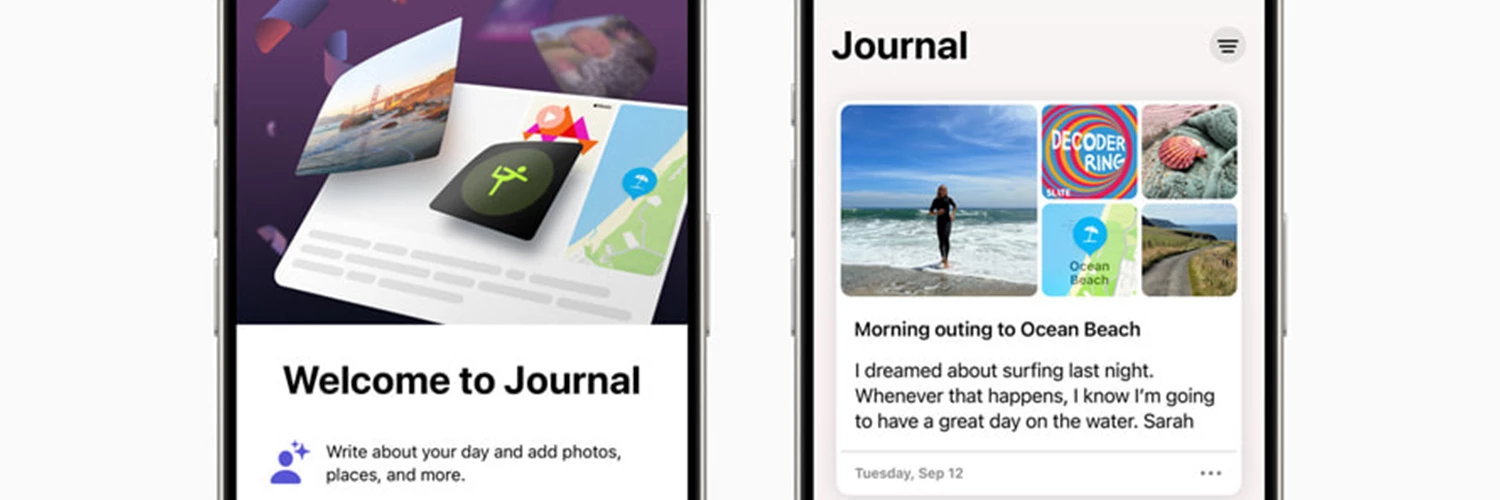
Journalling has been proven to help with anxiety and processing your emotions. But staring at a blank page can feel like trying to start a novel. That’s why Apple introduced the Journal app. It’s a super simple way to jot down thoughts and feelings with zero pressure.
Why it works:
The app uses private, built-in intelligence to suggest prompts based on things like photos you took, places you’ve been or the workouts you’ve done.
Low-friction mindfulness:
Even writing just a short sentence about your weekend helps your brain pause and reflect. It’s a grounding moment. And for teens, it can turn their camera roll into something more meaningful than just memes and screenshots.
So, will you be trying a Family Focus mode or giving the Journal app a go this week? Share your digital-downtime rules with us down below!

