

F.A.Q.
How do I top-up my Pay as you Go SIM?
Need to add credit to your phone? Here is the quickest way to top-up your Pay as you Go account so you can get back to using your data, minutes, and texts.
How to top-up.
You can top-up instantly using the iD Mobile app or my.idmobile.co.uk.
- Open the iD Mobile app or log in to my.idmobile.co.uk.
- Tap Top-up on the dashboard.
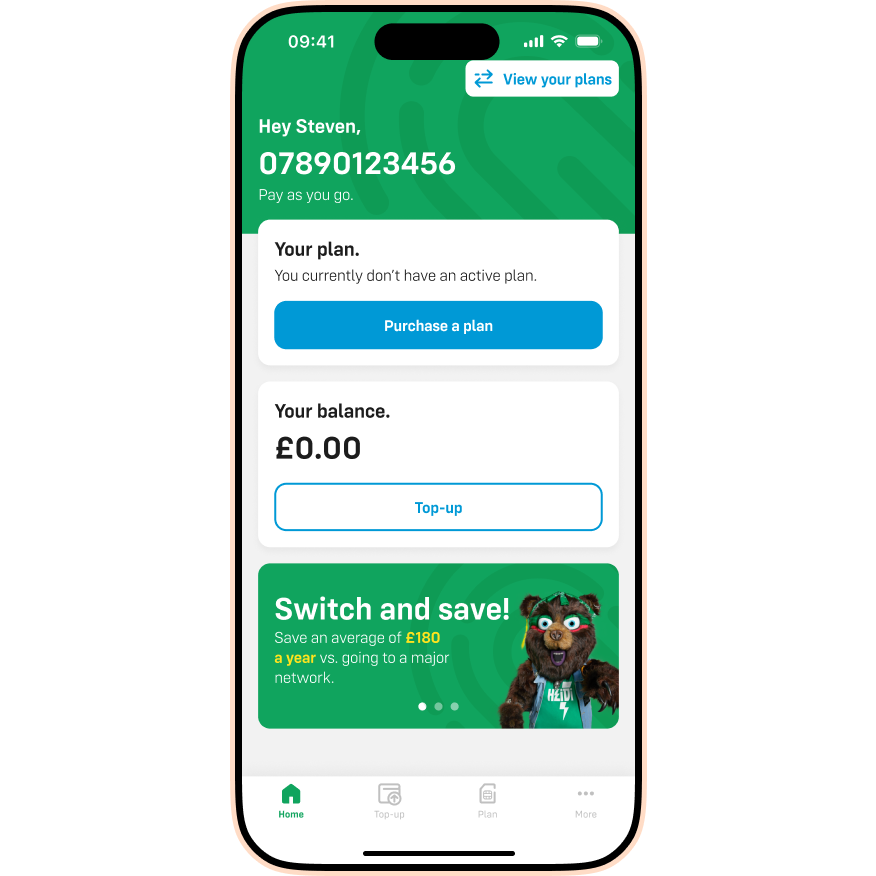
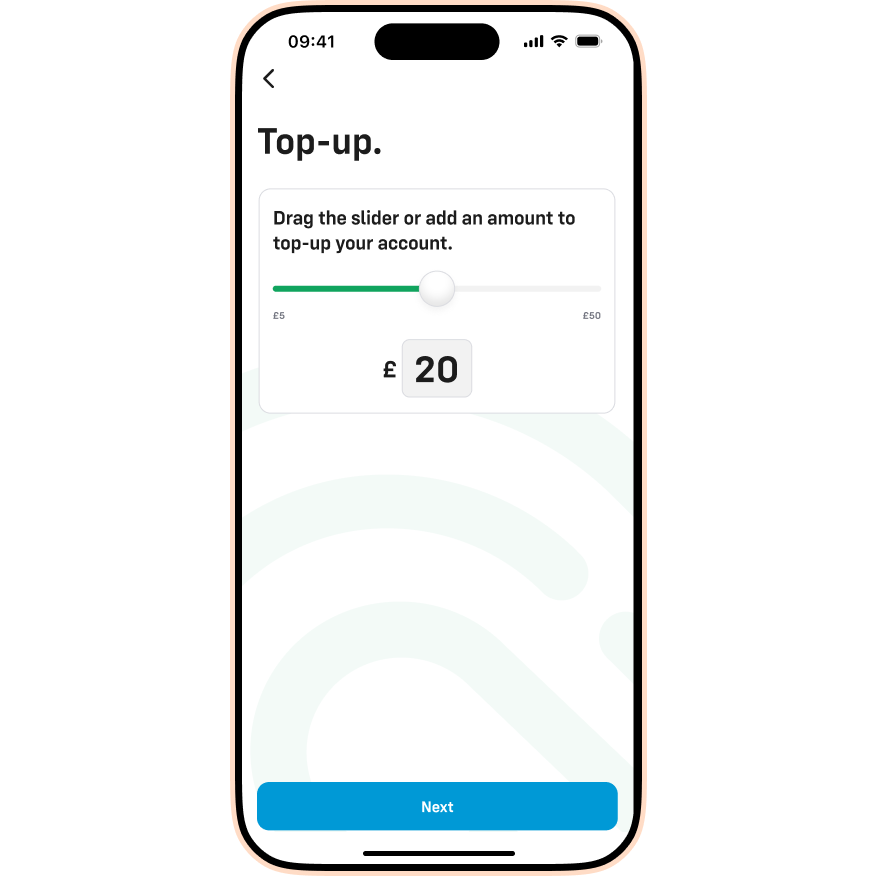
- Choose the amount you want to add using the slider or text box, then tap Next.
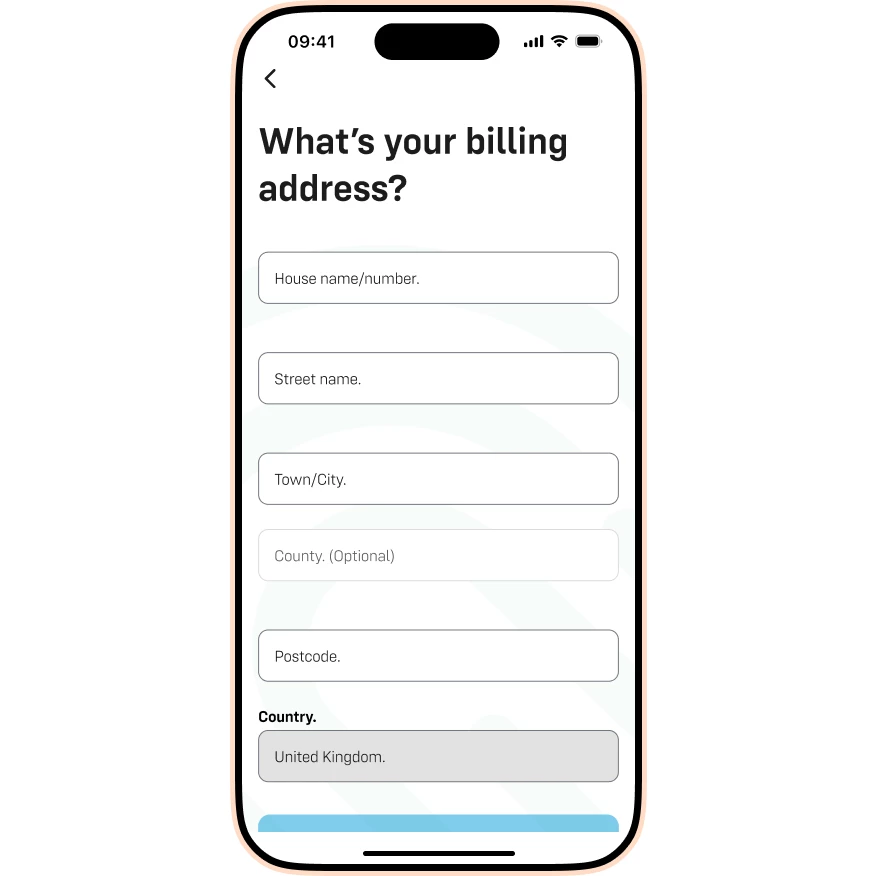
- Enter your billing address.
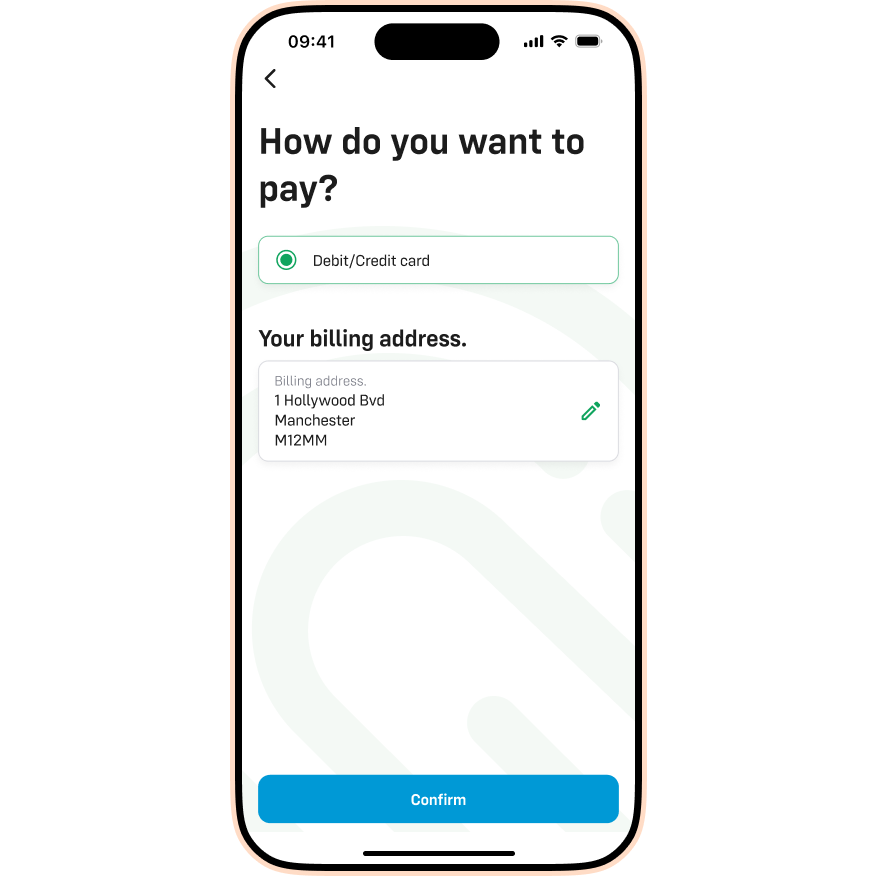
- Review your payment method and billing address, then tap Confirm.
- Enter your card details (Card Number, Expiry Date, CVV) and tap Submit.
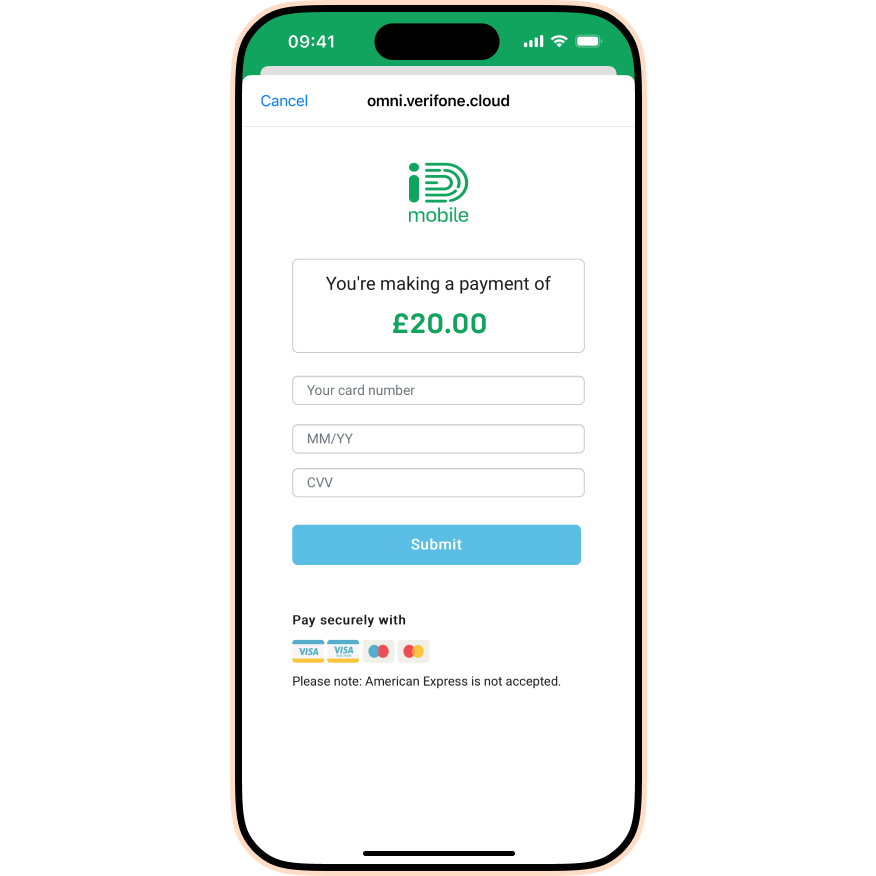
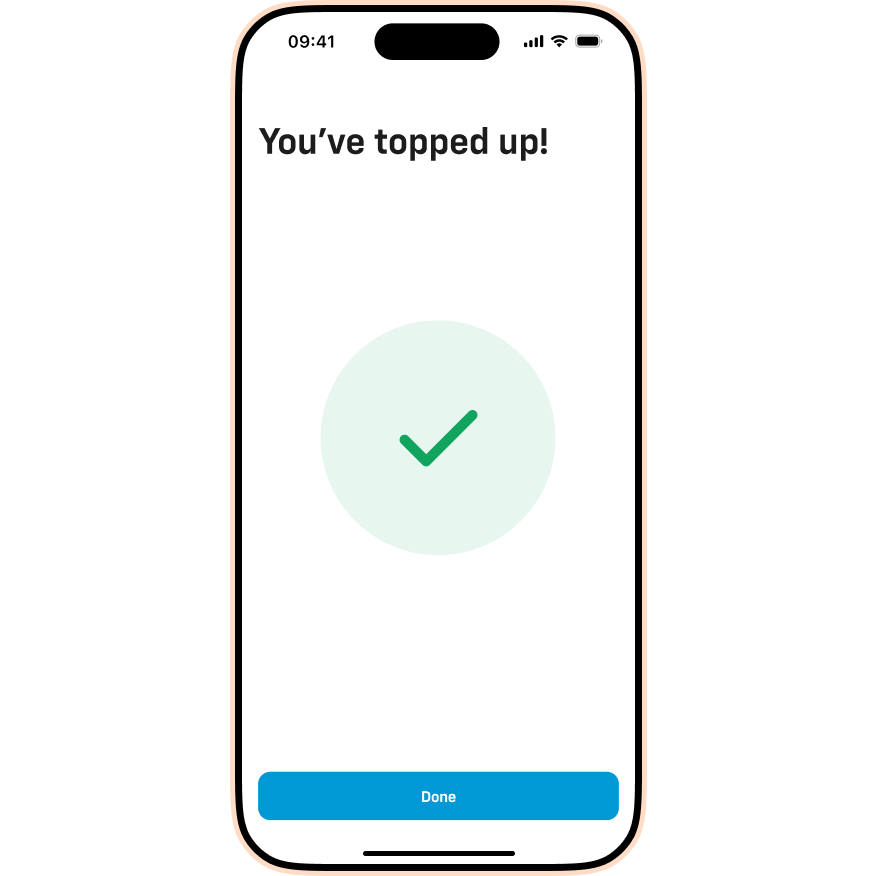
- Once the payment goes through, tap Done. Your balance will update immediately.
Please note: Our Live Chat team are unable to process top-ups for you. You must do this via the app or website.

