

Struggling to call or text abroad? It's usually a quick fix. Check these three settings to get connected:
Step 1: Check the Number Format
Are you using the correct International Dialling Code?
Mobile networks often struggle with "00". Try using the "+" symbol instead, followed by the country code, and remove the first "0" of the mobile number.
Example: To call a French number (06 12 34 56 78), dial +33 6 12 34 56 78.
Step 2: Check your Bill Cap
Because international calls cost extra, your Bill Cap needs to be high enough to cover the charge.
If your Bill Cap is set to £0, you won't be able to make the call at all. You'll need to increase it to allow for the extra cost.
Step 3: Enable 'International & Premium' Settings
Still not working? You might have a block on your account. Here is how to remove it in the iD Mobile app:
- Open the iD Mobile app or log in to my.idmobile.co.uk.
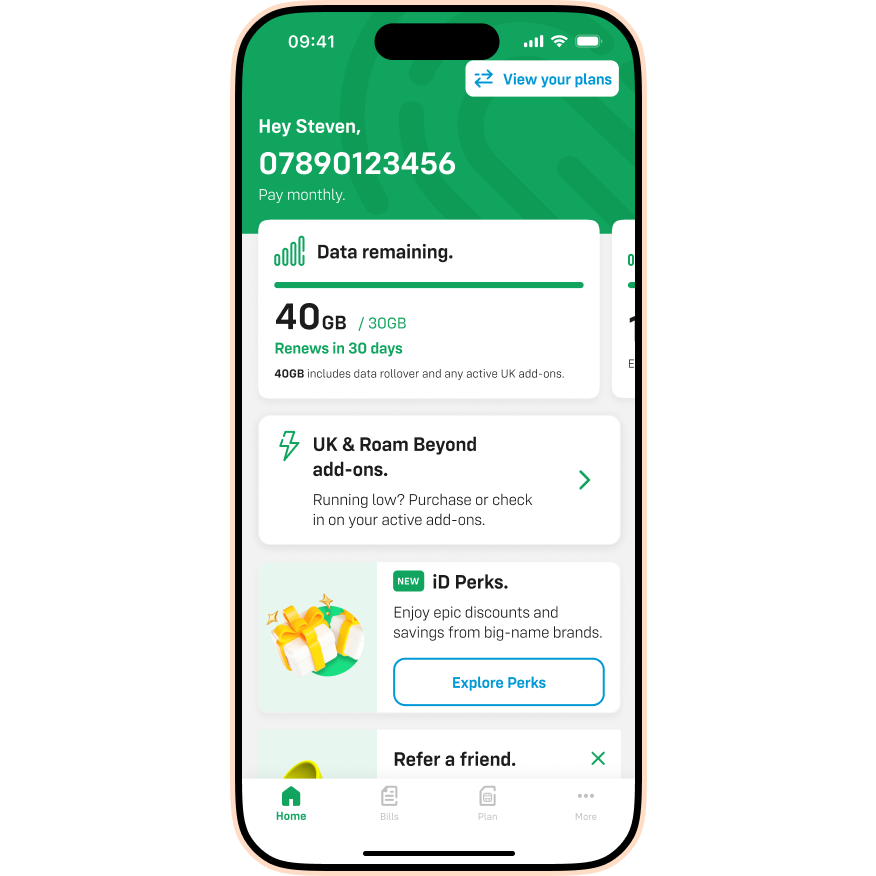
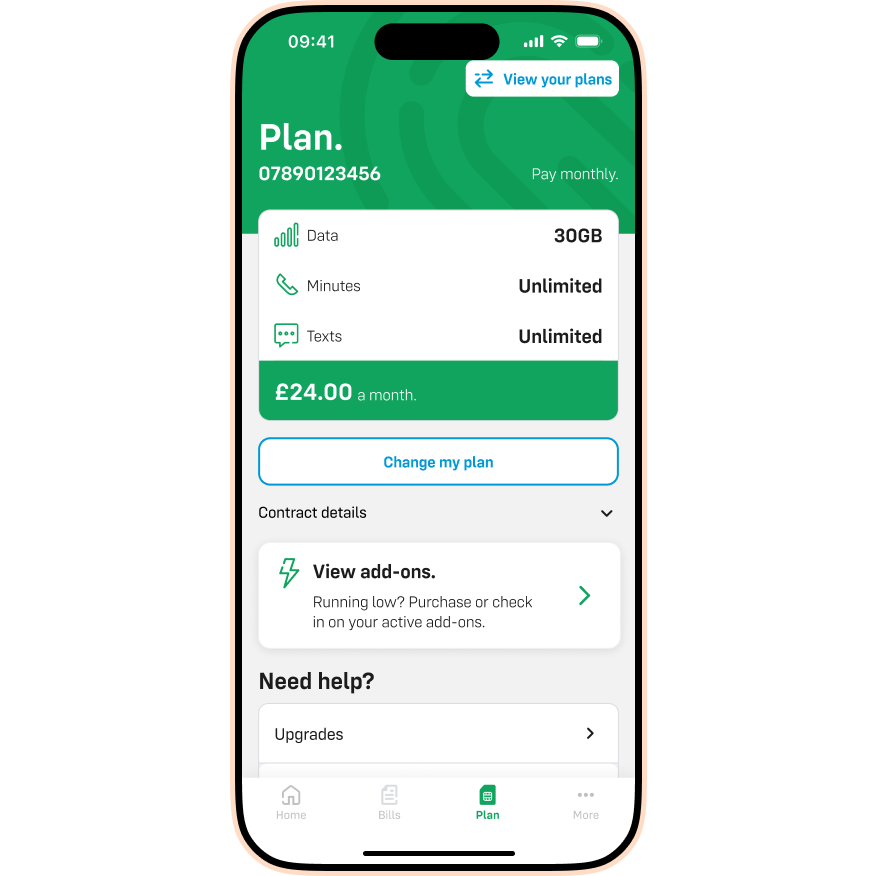
- Tap Plan.
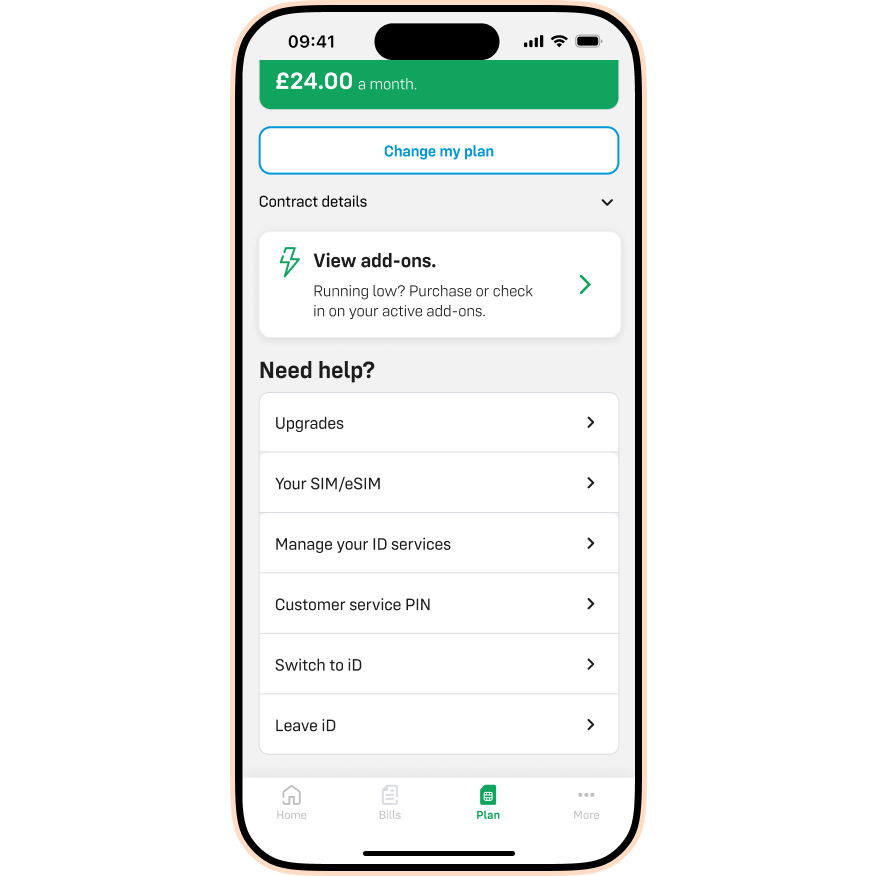
- Scroll down to Manage your iD services.
- Tap Manage your iD services.
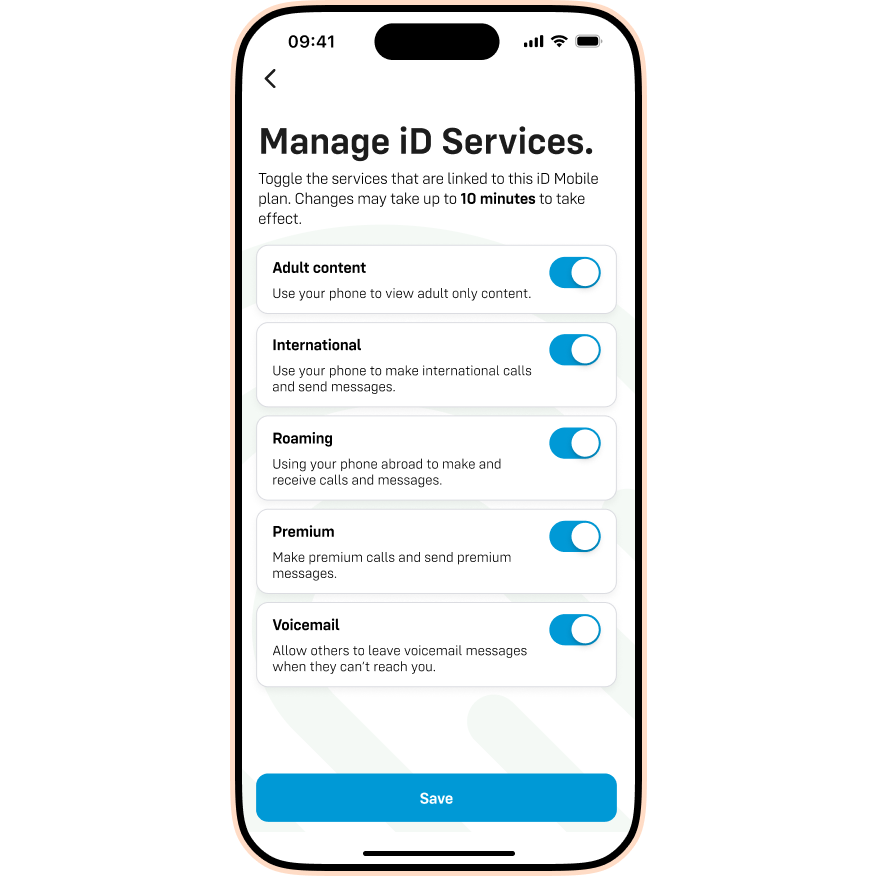
- Toggle International and Premium to ON.
- Tap Save to confirm.
If you've tried all the above and still can't connect, chat to our Live Chat team.
