
Nikhil P
iD Mobile Employee
iD Mobile Employee
February 23, 2024
Blog

Top tips to spring clean your phone.

  • February 23, 2024
  • 84 replies
  • 24989 views
Top tips to spring clean your phone.

It’s time to give everything a good spring clean, including your mobile phone! We’re not just talking about giving the screen a quick wipe – it’s a good idea to clean out the clutter that’s under the hood too.

Having a proper clear out of unused files, apps, photos and other stuff can really help with your phone’s performance. We’re talking speedier performance, longer battery life and quicker loading times. Plus, when you want to find that great holiday snap, you won’t have to dig through years of memes and screenshots to find it. So, let’s begin your mobile spring clean…

Cull your contacts

Take a look at your contact list. Are there any unfamiliar names on there? If so, it’s time to delete some numbers.

If you want to double-check the name before you remove them entirely, go into WhatsApp. Their profile picture should (hopefully) remind you. And while you’re on WhatsApp, why not clear out your old chats? That group organising your friend’s hen do from a couple of years ago hasn’t been touched since. It’s time for it to go.

Organize your home screen

Tidy up your home screen by grouping similar apps into folders. This cuts down the onscreen clutter and makes it easier to find what you need. Plus, fewer icons mean less strain on your phone's processor, which can give the speed a bit of a boost.

Get rid of unused apps

We’ve all got apps we don’t use anymore. And a lot of them continue working in the background, even when we’ve completely forgotten about them. Uninstalling them is a quick way to free up some space, and it’ll save your phone from working harder than it needs to.

Top tip: once you’ve binned your unused apps, check that the remaining ones are all updated. You don’t want to miss out on the latest bug fixes or handy new features.

Delete photos and videos

Having tons of photos and videos in your camera roll can take up a lot of storage space. So, the best place to start is by having a good tidy. Get rid of anything not worth keeping – do you really want loads of versions of that unimpressive selfie? Then move everything else to external or cloud storage. Even if storage isn’t a massive issue, it’s still worth doing. And if you do ever lose your phone, you’ll have everything backed up.

Turn off location tracking

Do you really want X (formerly known as Twitter) to know your exact whereabouts? It’s not just a question of privacy - apps constantly checking your location can drain your battery. That’s why turning off location tracking can make a big difference to your battery life.

Turning location tracking off – or controlling which apps can see where you are – is really easy. Just search for ‘location tracking’ in your settings and you can do everything from there.

Clear your cache
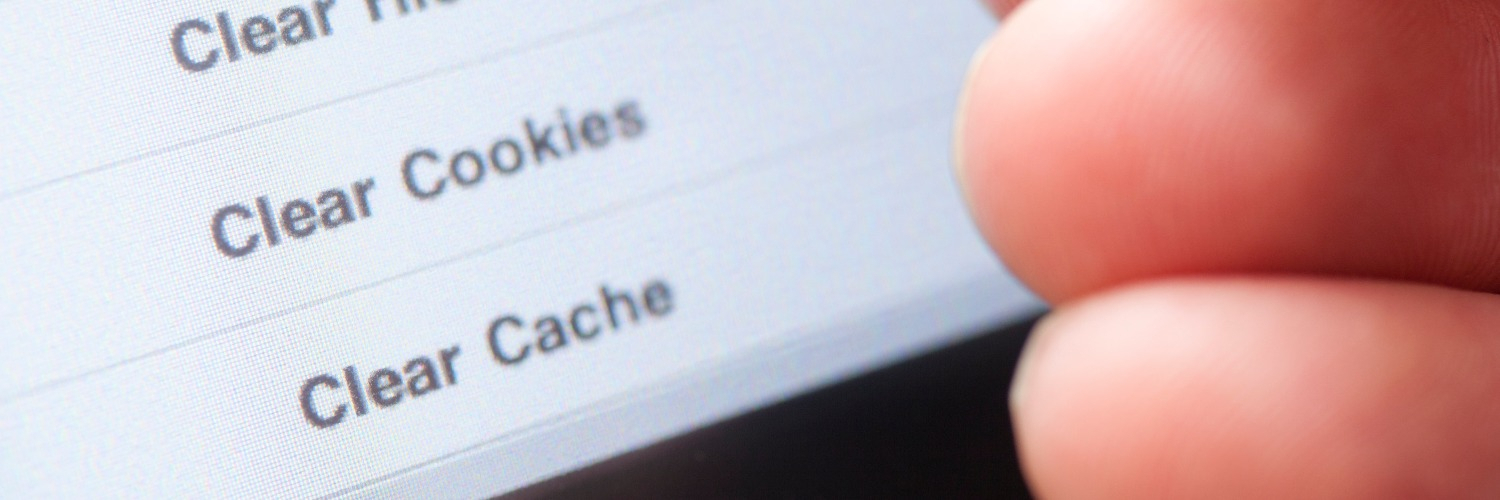
Websites and apps store information on you. This helps you log in, fill out forms, or remember what’s in your basket. But over time, all this saved data can slow things down. You can clear your cache through your internet browser, and it only takes a few minutes to do. The exact method varies, but if you go into settings you’ll usually find a menu called something like ‘Clear browsing data’.

Reset. As a last resort

If your phone is still slower than you’d like and you’ve tried everything else, it might be time for a factory reset. It’ll wipe everything from your phone, giving you a complete fresh start – as if it was fresh from the factory!

Before you take the plunge though, make sure you back everything up properly. Use iCloud for iPhones and Google Drive or OneDrive for Android.

Wipe clean your phone

Phones can get pretty dirty, from smudged screens to dusty charging posts. So it’s a good idea to clean them regularly.

Before you start cleaning, unplug any cables and switch off your phone. Then you can get to work. Google and Apple recommend using a 70% alcohol wipe for the job, but only use it on your screen and the casing at the back - you don’t want to risk getting any moisture into the headphone port or speakers.

Oh, and let’s not forget your phone case. Remove it, then clean it. With plastic, silicone, and rubber cases, you can soak them in some warm water and detergent for a couple of minutes. If there are still any stains, use an old toothbrush to get rid of them. Then just make sure to dry the case off with a cloth before you put it back on your phone.


Giveaway Time!
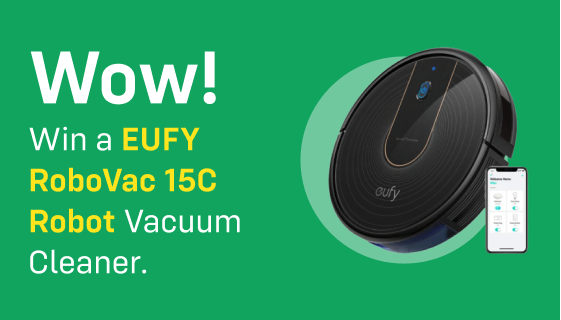
Want to give your house a good spring clean too? We can help you there as well because we are giving you the chance to win a brand new EUFY RoboVac 15C!

To enter, all you need to do is tell us what your top spring cleaning tip or hack is. Whether it's weird, wonderful, or just plain common sense we want to know!

Simply write your response below and click reply. 

Entries close at 23:59 on 14th March 2024, and we'll announce the lucky iD community winner shortly after.

Good luck! 

    This topic has been closed for replies.

    84 replies

    CazP
    New Contributor
    New Contributor
    March 1, 2024

    White vinegar is the answer. It clears limescale, softens laundry, cleans windows and more. It's very cheap too.

    Larsonsmum
    Active Contributor
    Active Contributor
    March 1, 2024

    Mine tip is to clean all year round, so there is no requirement for a massive ‘Spring Clean! 

    Active Contributor
    March 1, 2024

    I read that coco cola has cleaning properties.

    So i soaked a dirty old coin that I couldn't tell what it was. After 3 days' soaking, the coin became clean and recognisable.

    I think I need to invest in a metal detector to find some ancient coins in a field and then clean them in coco cola and hopefully, find a small fortune.

    Hope grows eternal. Where are we without hope? 

    Pom01326
    Active Contributor
    Active Contributor
    March 1, 2024

    It’s time to give everything a good spring clean, including your mobile phone! We’re not just talking about giving the screen a quick wipe – it’s a good idea to clean out the clutter that’s under the hood too.

    Having a proper clear out of unused files, apps, photos and other stuff can really help with your phone’s performance. We’re talking speedier performance, longer battery life and quicker loading times. Plus, when you want to find that great holiday snap, you won’t have to dig through years of memes and screenshots to find it. So, let’s begin your mobile spring clean…

    Cull your contacts

    Take a look at your contact list. Are there any unfamiliar names on there? If so, it’s time to delete some numbers.

    If you want to double-check the name before you remove them entirely, go into WhatsApp. Their profile picture should (hopefully) remind you. And while you’re on WhatsApp, why not clear out your old chats? That group organising your friend’s hen do from a couple of years ago hasn’t been touched since. It’s time for it to go.

    Organize your home screen

    Tidy up your home screen by grouping similar apps into folders. This cuts down the onscreen clutter and makes it easier to find what you need. Plus, fewer icons mean less strain on your phone's processor, which can give the speed a bit of a boost.

    Get rid of unused apps

    We’ve all got apps we don’t use anymore. And a lot of them continue working in the background, even when we’ve completely forgotten about them. Uninstalling them is a quick way to free up some space, and it’ll save your phone from working harder than it needs to.

    Top tip: once you’ve binned your unused apps, check that the remaining ones are all updated. You don’t want to miss out on the latest bug fixes or handy new features.

    Delete photos and videos

    Having tons of photos and videos in your camera roll can take up a lot of storage space. So, the best place to start is by having a good tidy. Get rid of anything not worth keeping – do you really want loads of versions of that unimpressive selfie? Then move everything else to external or cloud storage. Even if storage isn’t a massive issue, it’s still worth doing. And if you do ever lose your phone, you’ll have everything backed up.

    Turn off location tracking

    Do you really want X (formerly known as Twitter) to know your exact whereabouts? It’s not just a question of privacy - apps constantly checking your location can drain your battery. That’s why turning off location tracking can make a big difference to your battery life.

    Turning location tracking off – or controlling which apps can see where you are – is really easy. Just search for ‘location tracking’ in your settings and you can do everything from there.

    Clear your cache

    Websites and apps store information on you. This helps you log in, fill out forms, or remember what’s in your basket. But over time, all this saved data can slow things down. You can clear your cache through your internet browser, and it only takes a few minutes to do. The exact method varies, but if you go into settings you’ll usually find a menu called something like ‘Clear browsing data’.

    Reset. As a last resort

    If your phone is still slower than you’d like and you’ve tried everything else, it might be time for a factory reset. It’ll wipe everything from your phone, giving you a complete fresh start – as if it was fresh from the factory!

    Before you take the plunge though, make sure you back everything up properly. Use iCloud for iPhones and Google Drive or OneDrive for Android.

    Wipe clean your phone

    Phones can get pretty dirty, from smudged screens to dusty charging posts. So it’s a good idea to clean them regularly.

    Before you start cleaning, unplug any cables and switch off your phone. Then you can get to work. Google and Apple recommend using a 70% alcohol wipe for the job, but only use it on your screen and the casing at the back - you don’t want to risk getting any moisture into the headphone port or speakers.

    Oh, and let’s not forget your phone case. Remove it, then clean it. With plastic, silicone, and rubber cases, you can soak them in some warm water and detergent for a couple of minutes. If there are still any stains, use an old toothbrush to get rid of them. Then just make sure to dry the case off with a cloth before you put it back on your phone.


    Giveaway Time!

    Want to give your house a good spring clean too? We can help you there as well because we are giving you the chance to win a brand new EUFY RoboVac 15C!

    To enter, all you need to do is tell us what your top spring cleaning tip or hack is. Whether it's weird, wonderful, or just plain common sense we want to know!

    Simply write your response below and click reply. 

    Entries close at 23:59 on 14th March 2024, and we'll announce the lucky iD community winner shortly after.

    Good luck! 

    Make a note of when your Phone contract runs out so you can switch to an ID sim only deal.

    Sarah Mcritchie
    New Contributor
    New Contributor
    March 1, 2024

    Furniture polish on your shower screen olive oil on your stainless steel oven door.

    New Contributor
    March 1, 2024

    It's not really a "cleaning" hack, but if you're struggling for storage space, get some vacuum bags and put your winter clothes in them, then pack them away somewhere. You'll be surprised just how much space you save thanks to sucking the air out of things! At the end of Summer, switch them with your Summer clothes. 

    New Contributor
    March 1, 2024

    Wear rubber gloves. 

    New Contributor
    March 1, 2024

    A wipe never hurts,

    on a phone, make sure you’re backed up

    and at home, make sure the cleaning sprays are appropriate for the surface, dont bleach your drapes!

    Pom01326
    Active Contributor
    Active Contributor
    March 1, 2024

    Make a note of when your phone contract ends. You can then switch to an ID sim only contract.

    Pom01326
    Active Contributor
    Active Contributor
    March 1, 2024

    Make a note of when your phone contract ends. You can then switch to an ID sim only contract.

    It’s time to give everything a good spring clean, including your mobile phone! We’re not just talking about giving the screen a quick wipe – it’s a good idea to clean out the clutter that’s under the hood too.

    Having a proper clear out of unused files, apps, photos and other stuff can really help with your phone’s performance. We’re talking speedier performance, longer battery life and quicker loading times. Plus, when you want to find that great holiday snap, you won’t have to dig through years of memes and screenshots to find it. So, let’s begin your mobile spring clean…

    Cull your contacts

    Take a look at your contact list. Are there any unfamiliar names on there? If so, it’s time to delete some numbers.

    If you want to double-check the name before you remove them entirely, go into WhatsApp. Their profile picture should (hopefully) remind you. And while you’re on WhatsApp, why not clear out your old chats? That group organising your friend’s hen do from a couple of years ago hasn’t been touched since. It’s time for it to go.

    Organize your home screen

    Tidy up your home screen by grouping similar apps into folders. This cuts down the onscreen clutter and makes it easier to find what you need. Plus, fewer icons mean less strain on your phone's processor, which can give the speed a bit of a boost.

    Get rid of unused apps

    We’ve all got apps we don’t use anymore. And a lot of them continue working in the background, even when we’ve completely forgotten about them. Uninstalling them is a quick way to free up some space, and it’ll save your phone from working harder than it needs to.

    Top tip: once you’ve binned your unused apps, check that the remaining ones are all updated. You don’t want to miss out on the latest bug fixes or handy new features.

    Delete photos and videos

    Having tons of photos and videos in your camera roll can take up a lot of storage space. So, the best place to start is by having a good tidy. Get rid of anything not worth keeping – do you really want loads of versions of that unimpressive selfie? Then move everything else to external or cloud storage. Even if storage isn’t a massive issue, it’s still worth doing. And if you do ever lose your phone, you’ll have everything backed up.

    Turn off location tracking

    Do you really want X (formerly known as Twitter) to know your exact whereabouts? It’s not just a question of privacy - apps constantly checking your location can drain your battery. That’s why turning off location tracking can make a big difference to your battery life.

    Turning location tracking off – or controlling which apps can see where you are – is really easy. Just search for ‘location tracking’ in your settings and you can do everything from there.

    Clear your cache

    Websites and apps store information on you. This helps you log in, fill out forms, or remember what’s in your basket. But over time, all this saved data can slow things down. You can clear your cache through your internet browser, and it only takes a few minutes to do. The exact method varies, but if you go into settings you’ll usually find a menu called something like ‘Clear browsing data’.

    Reset. As a last resort

    If your phone is still slower than you’d like and you’ve tried everything else, it might be time for a factory reset. It’ll wipe everything from your phone, giving you a complete fresh start – as if it was fresh from the factory!

    Before you take the plunge though, make sure you back everything up properly. Use iCloud for iPhones and Google Drive or OneDrive for Android.

    Wipe clean your phone

    Phones can get pretty dirty, from smudged screens to dusty charging posts. So it’s a good idea to clean them regularly.

    Before you start cleaning, unplug any cables and switch off your phone. Then you can get to work. Google and Apple recommend using a 70% alcohol wipe for the job, but only use it on your screen and the casing at the back - you don’t want to risk getting any moisture into the headphone port or speakers.

    Oh, and let’s not forget your phone case. Remove it, then clean it. With plastic, silicone, and rubber cases, you can soak them in some warm water and detergent for a couple of minutes. If there are still any stains, use an old toothbrush to get rid of them. Then just make sure to dry the case off with a cloth before you put it back on your phone.


    Giveaway Time!

    Want to give your house a good spring clean too? We can help you there as well because we are giving you the chance to win a brand new EUFY RoboVac 15C!

    To enter, all you need to do is tell us what your top spring cleaning tip or hack is. Whether it's weird, wonderful, or just plain common sense we want to know!

    Simply write your response below and click reply. 

    Entries close at 23:59 on 14th March 2024, and we'll announce the lucky iD community winner shortly after.

    Good luck! 

    Make a note of when your Phone contract runs out so you can switch to an ID sim only deal.

    Thank you.