
Question

Esim Issue Iphone Air

  • April 16, 2026
  • 4 replies
  • 44 views

Graham Carter
Active Contributor

As of yesterday evening I noticed my iPhone Air was showing the satellite icon in the top info bar indicative of no mobile signal. (I was in an area with great signal)

Naturally, I started troubleshooting, rebooted, airplane mode on and off, network settings reset.  None of which resolved the lack of signal bars.

Next step was to request a replacement esim in the app, remove my existing one and re-activate the esim.

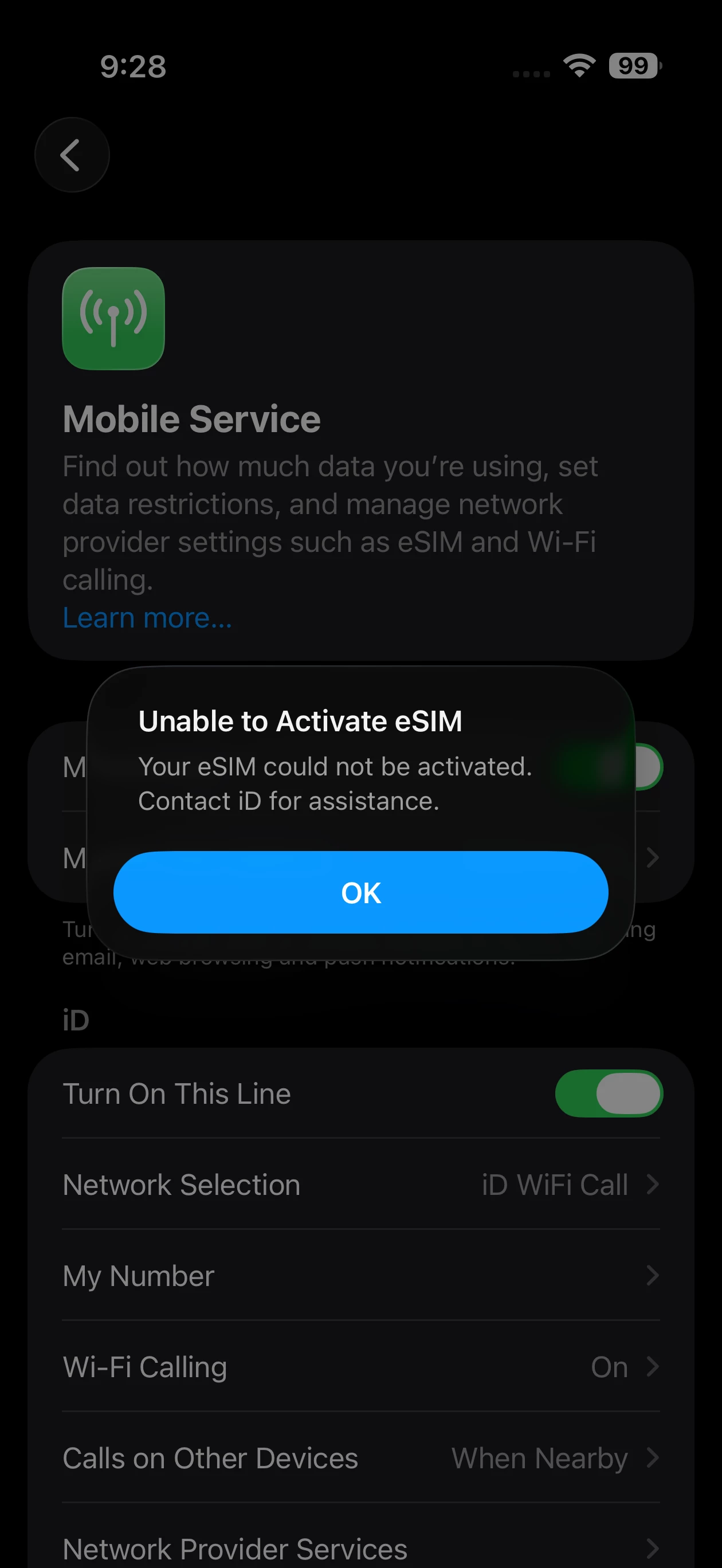
After about 10 mins of “activating”  I got the below message.  

Fair enough, so I get in touch with ID Moible customer services, who confirmed they could see a pending activation request and to wait an hour.


So I waited an hour and nothing, so re-contacted them detailing all of the troubleshooting attempts, and all they could do was confirm there were no ongoing issues and then they re-issued another esim from their side..

Here’s where it gets weird though, although the activation failed, I can still make calls and receive sms messages but only when on wifi using ID Wifi Call
 

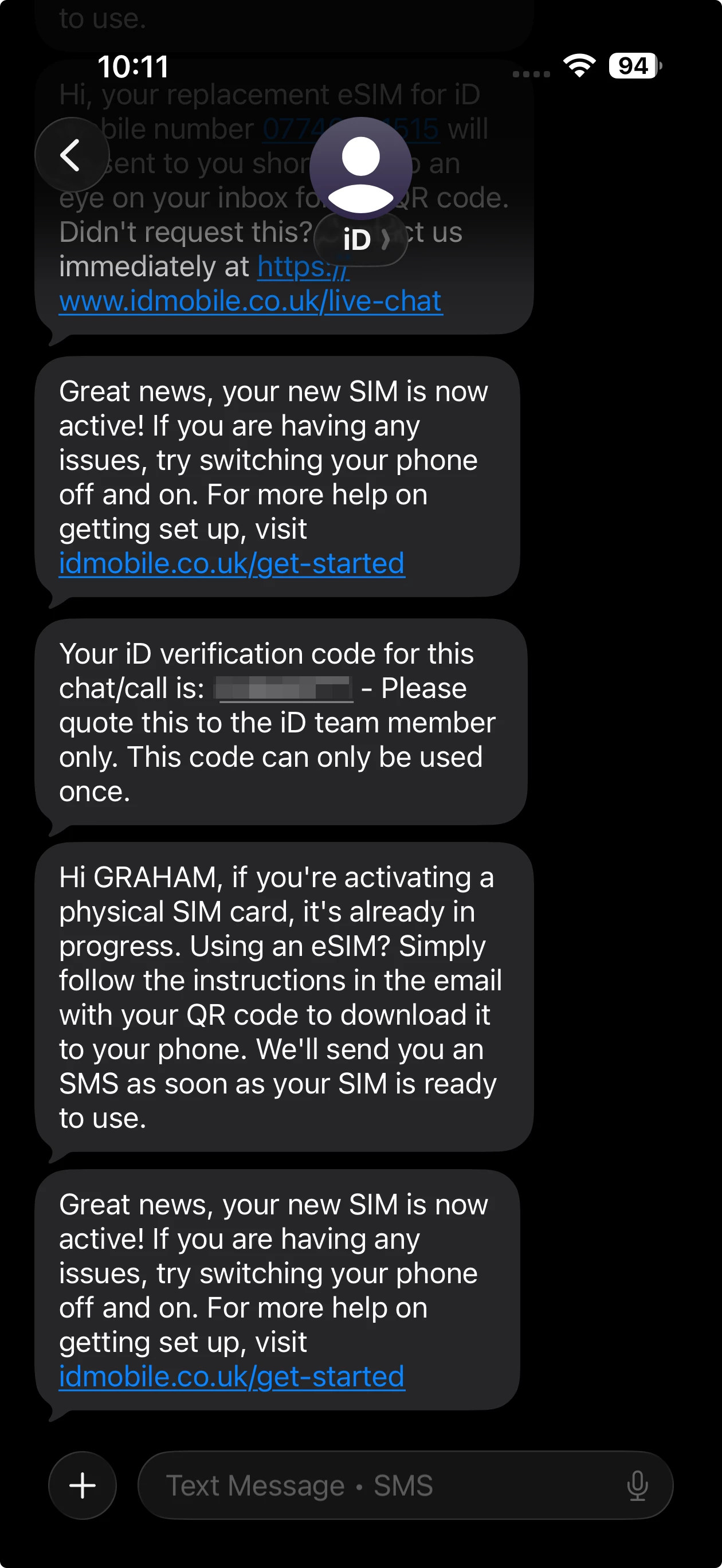
I even got the message saying my new esim was active but again still no mobile bars
 

Im now thinking perhaps its a problem with the mobile hardware in the iPhone, so I add my giffgaff esim and boom instant activation, full mobile bars and 5G data!

The only troubleshooting left is an iOS related issue, having recently update to iOS 26.4.1

But again, giffgaff is working so hmmmm.

Im at a loss peeps, anyone?

4 replies

Graham Carter
Active Contributor
  • Author
  • Active Contributor
  • April 16, 2026

It looks as though this is my fix…


Remove the current eSIM profile from your line
• Reset the eSIM on the network
• Reissue a fresh eSIM after the refresh


Graham Carter
Active Contributor
  • Author
  • Active Contributor
  • April 17, 2026

No, spoke to customer services on web chat and even after several prompts from myself asking them to confirm they had…


Remove the current eSIM profile from my line
• Reset the eSIM on the network
• Reissue a fresh eSIM after the refresh

they said I’ll send you a new esim, I said can you confirm you have done the above steps and they stated “yes” however im now back to failed activation and no mobile bars, so clearly they DID NOT perform the above steps!  

https://community.idmobile.co.uk/your%2Dphone%2Dsim%2D26/tried%2D5%2Dnew%2Desims%2Dand%2Dstill%2Dcant%2Dget%2Dit%2Dactivated%2Don%2Dmy%2Diphone%2Dair%2Dand%2Diphone%2D13%2D88589


Graham Carter
Active Contributor
  • Author
  • Active Contributor
  • April 17, 2026

So things have taken a darker turn.  I called the complaints number on 0800 049 1300 and was advised that if I didn't have an existing complaint number, then I couldn't speak with them until I had a complaints number!

I then called the vulnerable customer services line (err vulnerable, but ok) on 0800 049 2376 and received a recorded prompt to change my customer services pin, however every pin change I attempted was rejected!

So I then manually changed my pin in the mobile app and called again, same prompt to change my pin, however this time, it accepted my pin choice.  I then had my call answered only to be almost instantly disconnected!

I called back again and the customer services rep system kept crashing, so I wasp ut on hold for over 20 mins until I finally got put through to a lady called Haley.  I tried to explain to her that backend changes were needed and she then said go to curry's and get a physical sim.  I then politely explained that as I have an iPhone Air, it can't physical SIM cards.  She then said ok will send you another esim

I then after taking a deep breath send no, as replacement esims dont activate.  On hold for another 5 mins only to be told again I need to get a replacement physical sim. 

At this point, am fuming internally, so again politely explained that my iPhone Air does not have the option to activate a physical esim.  She then said to get currys to activate for me and then request another esim.

At which point I had to say look, your colleague on the community stated that ID mobile staff themselves should be able to remove my profile from the backend.  She then said no we can't remove it from YOUR phone!!!!!!!

I then said, ok can I speak to the technical team who can make network changes to my profile, at which point she said ok will log a ticket!  She then came back to me and said nah, we can't make any network changes, go and get a physical sim and put it in someone else phones and the once activated, request a new esim.


UGH


Graham Carter
Active Contributor
  • Author
  • Active Contributor
  • April 17, 2026

Can I have a response from a ID mobile employee please?  Im know on the 3rd day without any service and have raised a complaint
